
Your product is almost ready. The changelog is half-written, the landing page still sounds like three different people wrote it, and launch week has turned into a scramble for posts, emails, screenshots, FAQs, and founder updates.
An ai content product launch sounds like the obvious fix. Generate the launch assets, move faster, and finally stop staring at a blank page.
Teams think the problem is content volume. The real problem is launch coordination. AI can create more words, but launch quality depends on whether those words reflect the product state, the positioning, the support plan, and the next action you want users to take.
That changes the conversation. The practical question is not whether AI can write launch copy. It can. The practical question is how you design a launch workflow where AI increases shipping speed without creating brand drift, factual errors, duplicated work, or noisy distribution.
Table of contents
- Why an ai content product launch is a system not a shortcut
- Decide what content is allowed to decide
- Map launch content to product states
- Build the ai content product launch workflow
- Protect positioning from model drift
- What works and what fails with AI launch content
- Review QA and brand control
- Distribution without spam
- Measure the launch as a feedback loop
- Common failure modes when teams implement this badly
- Where sh1pt.com fits in the shipping stack
Why an ai content product launch is a system not a shortcut

Content creates launch surface area
The mistake teams make is treating launch content like a writing backlog. They list the obvious assets: landing page, launch post, email, tweets, Product Hunt copy, founder LinkedIn post, FAQ, maybe a few screenshots.
Then they ask AI to produce drafts.
That can help, but it also expands the surface area. Every generated asset becomes another place where the product can be misrepresented. One page says the product is for solopreneurs. Another says it is for product teams. One post promises automation. Another describes a manual workflow. One FAQ mentions integrations that are still on the roadmap.
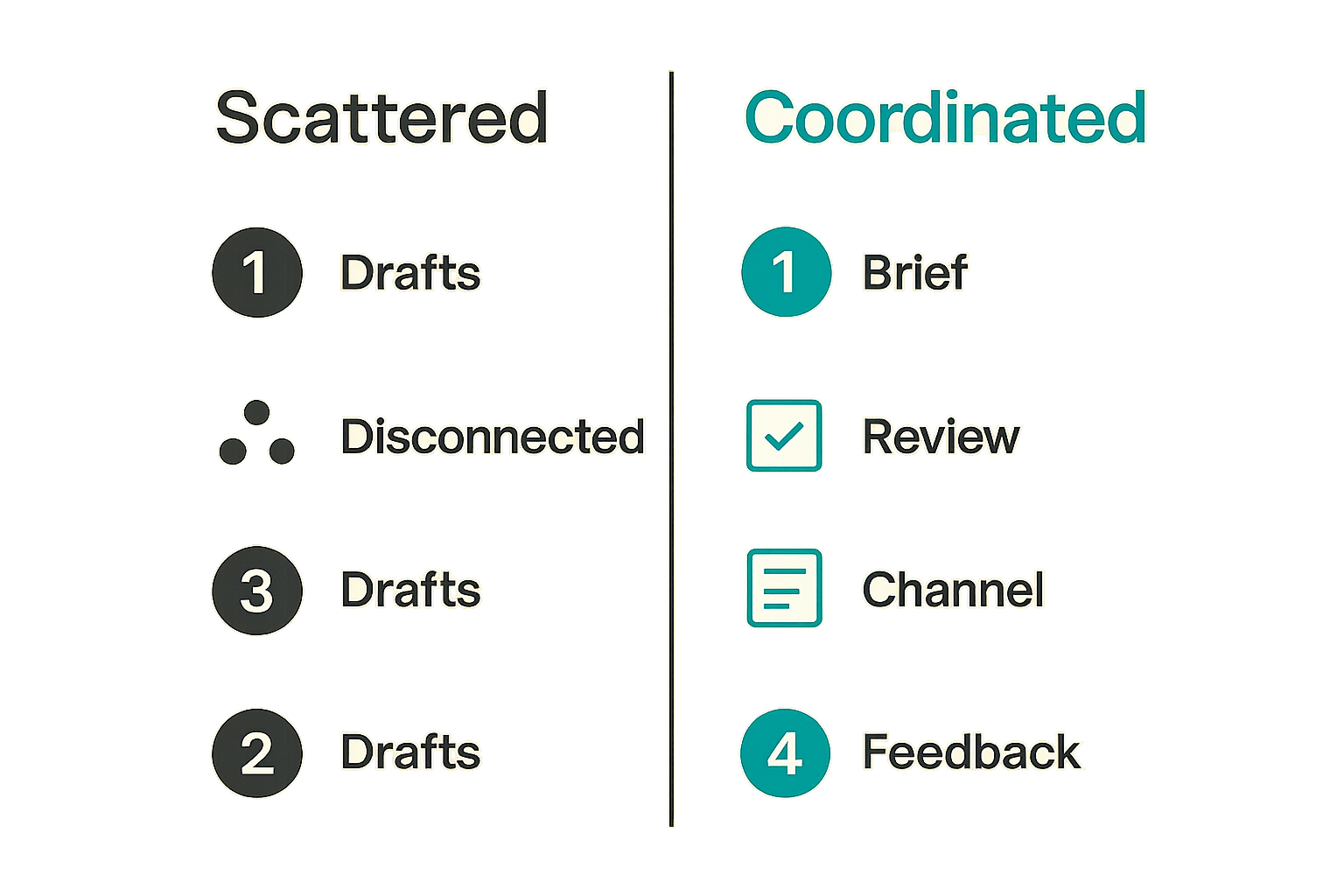
For a small team, this is where launch quality breaks. The issue is not that AI writes badly. The issue is that AI writes confidently from whatever context it has. If the context is scattered, the launch becomes scattered.
The launch system has to own state
A useful way to think about an ai content product launch is as a state management problem.
Your product has a state: planned, scoped, built, tested, limited beta, public, deprecated, upgraded. Your content should reflect that state. If it does not, support gets dragged into avoidable confusion, early users lose trust, and the team wastes launch momentum cleaning up copy.
Practical rule: Do not generate launch content until you know what product state the content is allowed to describe.
This does not mean slowing down. It means connecting the writing process to the shipping process. The best launch content is not just polished. It is synchronized.
Decide what content is allowed to decide
Separate strategy drafting and publishing
AI is useful for drafts, variations, summaries, transformations, and first-pass structure. It is not a good owner of strategy. If your launch positioning is unclear, AI will usually make it sound clearer while preserving the confusion underneath.
Separate the jobs:
- Strategy decides who the product is for, what pain it solves, and what the launch is trying to prove.
- Drafting turns that strategy into concrete assets.
- Review checks accuracy, tone, claims, and next steps.
- Publishing coordinates timing, channels, and follow-up.
Do not let one prompt collapse all four jobs. That is how teams end up with polished launch content that nobody can defend.
As a guest contribution from the team at bl0ggers.com, this is the workflow lens we see most often: AI helps when it sits inside editorial control, not when it replaces it.
Keep humans in owner roles
The human roles do not need to be heavy. A two-person startup can still assign ownership clearly.
You need someone to own:
- Positioning: the core story and audience.
- Product truth: what works today and what does not.
- Brand voice: what the company should sound like.
- Launch operations: where assets go and when.
- Customer response: how feedback and questions get handled.
The smaller the team, the more important this is. Without ownership, every draft becomes a negotiation. With ownership, AI becomes leverage.
Practical rule: AI can propose language, but a named person should own every claim that reaches customers.
Map launch content to product states
Waitlist private beta and public launch
Not all launch content has the same job. A waitlist page should create enough interest to capture intent. A private beta email should set expectations and invite feedback. A public launch page should explain value fast and reduce uncertainty.
Use product state to determine content depth:
| Product state | Content job | Risk to avoid |
|---|---|---|
| Idea validation | Test pain and audience | Overpromising a product that does not exist |
| Waitlist | Capture intent | Making the offer too vague |
| Private beta | Set expectations | Hiding limitations users will hit |
| Public launch | Convert and educate | Creating support load with unclear claims |
| Post-launch | Close the loop | Ignoring objections and feature gaps |
The same AI prompt should not produce all of these. Each state needs different constraints, different calls to action, and different language around certainty.
State changes require content changes
What breaks in practice is that product state changes faster than content updates.
The team cuts a feature before launch. The landing page still mentions it. Beta users find onboarding confusing. The public launch email still says setup takes minutes. A pricing decision changes. Old social drafts keep the previous number.
This is why generated content needs a content inventory, not just a folder full of drafts. Every launch asset should have a status, owner, source of truth, publish channel, and last reviewed date.
A simple launch content record might include:
- Asset name.
- Product state it describes.
- Audience.
- Primary CTA.
- Claims made.
- Owner.
- Review status.
- Publish date.
This is not bureaucracy. It is how you prevent launch copy from becoming stale before it ships.
Build the ai content product launch workflow
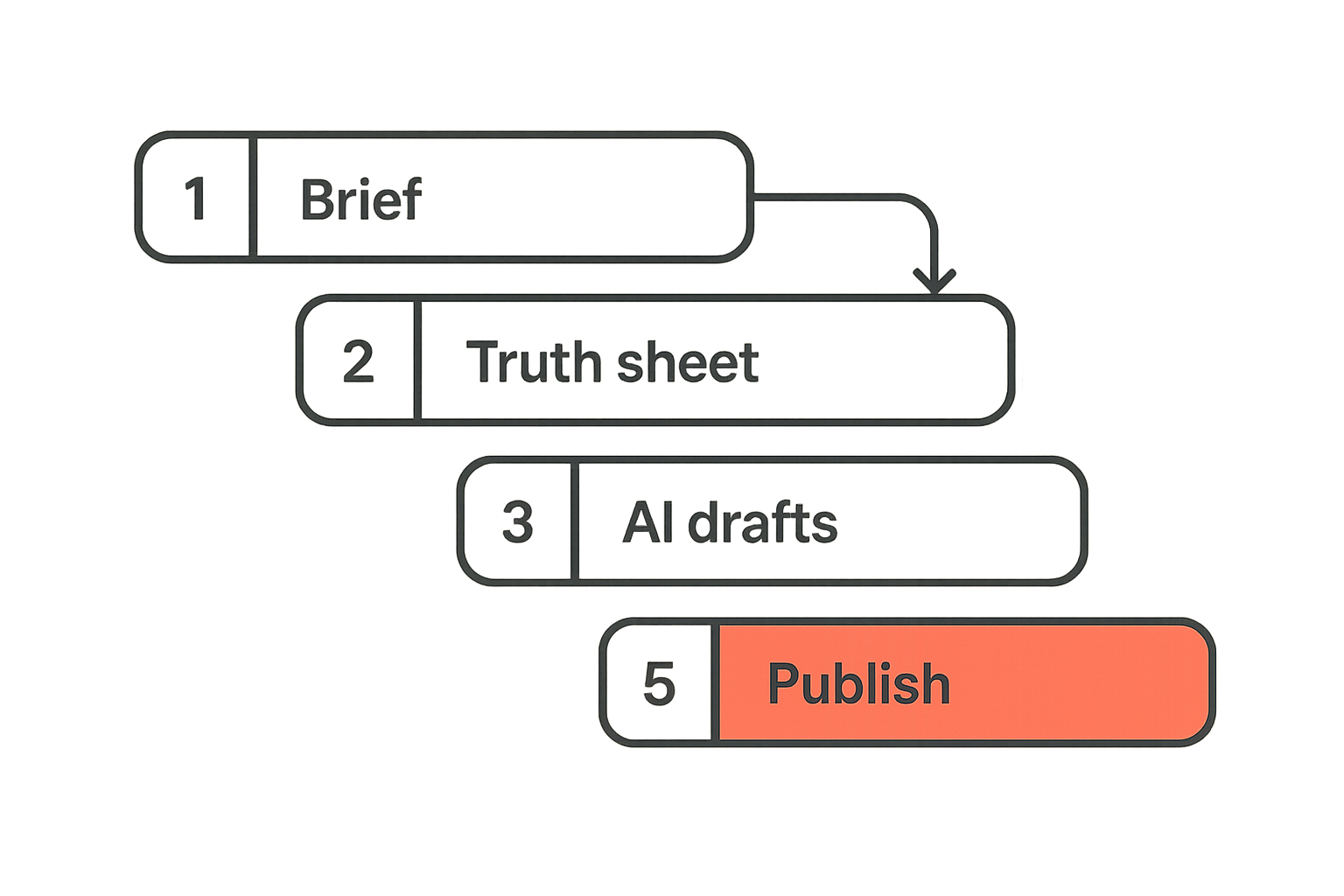
A practical implementation sequence
The practical question is how to put AI into the workflow without creating more cleanup. Start with the launch system, then add generation.
- Define the launch objective. Decide whether the launch is meant to get signups, activate beta users, drive paid conversions, collect feedback, or announce momentum.
- Write the positioning brief. Include audience, problem, current alternatives, key differentiator, proof points, limitations, and the main CTA.
- Build the product truth sheet. List what is available now, what is beta, what is planned, and what should not be mentioned.
- Create asset briefs. For each asset, define channel, audience, length, tone, CTA, claims allowed, and reviewer.
- Generate first drafts. Use AI for structure, variations, headlines, summaries, and channel adaptations.
- Review against the truth sheet. Remove unsupported claims, vague promises, inconsistent terminology, and unsupported timelines.
- Package by channel. Adapt each asset to the norms of the destination instead of spraying the same copy everywhere.
- Publish in sequence. Coordinate the landing page, announcement post, email, social posts, community posts, and support materials.
- Capture feedback. Log objections, questions, activation issues, and conversion friction.
- Update the content system. Feed launch learnings back into the positioning brief and product truth sheet.
This sequence is intentionally boring. Boring workflows ship better launches because they reduce ambiguity.
Minimum launch artifacts
For most indie products and early-stage SaaS launches, you do not need a huge content engine. You need a tight set of assets that agree with each other.
A minimum launch kit usually includes:
- One positioning brief.
- One product truth sheet.
- One landing page draft.
- One announcement post.
- One customer email or waitlist email.
- Three to five short social variants.
- One FAQ for objections and support.
- One internal response sheet for founders or support.
Practical rule: Generate fewer assets than you think you need, then make those assets consistent, accurate, and easy to update.
The response sheet is often overlooked. It matters because launch feedback does not arrive neatly. It shows up in comments, DMs, emails, Discord threads, Slack communities, and support tickets. If the team answers differently in each place, the launch story fragments.
Protect positioning from model drift
Maintain a single source of truth
Model drift in this context is not just a machine learning issue. It is what happens when every new prompt slightly changes the product story.
One prompt calls your app a writing assistant. Another calls it a launch automation platform. Another says it is a planning workspace. None of those may be wrong, but if they appear across launch materials at the same time, users cannot tell what you actually built.
Create a single source of truth before generating assets. Keep it short enough that people use it.
Include:
- The one-line product description.
- The audience you are prioritizing.
- The painful workflow you replace or improve.
- The main before-and-after change.
- Terms to use.
- Terms to avoid.
- Claims that are approved.
- Claims that are not approved.
- Known limitations.
This source document should be updated whenever product scope changes. If the product truth changes, regenerate or revise affected assets. Do not patch only the landing page and forget the email sequence.
Treat prompts as interfaces
Prompts should not be random chat messages. For launch work, prompts are interfaces between product truth and published content.
A useful prompt structure looks like this:
- Role: what the model should act as.
- Context: product brief, audience, launch state.
- Task: the asset to produce.
- Constraints: claims allowed, tone, length, format.
- Inputs: notes, feature list, objections, quotes.
- Output: the structure you want returned.
- Review checklist: what the human will verify.
The review checklist is important. It reminds the team that generated content is not done content.
For example, instead of asking for launch copy, ask for a landing page draft for first-time indie founders launching a simple SaaS tool, using the approved product description, avoiding claims about automation, and ending with a waitlist CTA. That prompt gives AI useful boundaries.
What works and what fails with AI launch content
What works
AI works well when the team uses it to accelerate known decisions.
It can turn a rough founder note into a readable launch post. It can generate headline options from a positioning brief. It can translate a long product update into a short email. It can create variations for different audience segments. It can summarize objections from beta feedback and suggest FAQ entries.
The common thread is constraint. The team knows the source material, and AI helps with expression.
| Use case | Works when | Watch out for |
|---|---|---|
| Landing page draft | Positioning is already defined | Generic hero copy |
| Launch post | Founder has a clear narrative | Too much backstory |
| Email campaign | Audience and CTA are specific | Overly promotional tone |
| Social posts | Channel norms are respected | Same post pasted everywhere |
| FAQ | Real objections are used | Invented questions that nobody asked |
| Support snippets | Product limits are explicit | Promising workarounds that do not exist |
A useful way to think about it is this: AI is strong at turning structured input into usable options. It is weaker at deciding what the launch should mean.
What fails
AI fails when teams use it to avoid hard launch decisions.
If you have not decided whether the product is for agencies or solo founders, AI will happily write for both. If you are unsure whether the feature is beta or production-ready, AI will imply confidence. If your CTA is unclear, AI will create a CTA-shaped sentence that does not drive action.
What fails most often:
- Generating copy before positioning is settled.
- Asking for too many assets too early.
- Publishing unreviewed claims.
- Using the same content across every channel.
- Letting AI invent customer pain points.
- Ignoring support and onboarding content.
- Treating launch day as the finish line.
The result is a launch that looks active but feels incoherent. People see the announcement, click through, and still do not understand why they should care now.
Review QA and brand control
Editorial gates
A fast launch still needs gates. The gates can be lightweight, but they should be explicit.
Use three passes:
- Accuracy pass: is every claim true today?
- Positioning pass: does this asset match the launch story?
- Channel pass: does this fit where it will be published?
Each pass can take minutes if the source documents are clear. Without the gates, review becomes subjective. One person edits for tone, another edits for features, another rewrites the whole piece because the audience feels wrong.
Practical rule: Review generated launch content against a checklist, not against personal taste.
For a small team, the checklist might fit in one page. The point is not process theater. The point is faster decisions.
Factual checks
Factual QA is where many AI-assisted launches get sloppy. The model may smooth over uncertainty. It may add a benefit that sounds plausible. It may turn a planned integration into an existing integration. It may imply a guarantee where none exists.
Before publishing, check:
- Feature availability.
- Pricing language.
- Platform support.
- Integration status.
- Data handling claims.
- Security and privacy statements.
- Customer quotes or testimonials.
- Timelines.
- Competitive comparisons.
If the claim would create a support ticket when misunderstood, it deserves review. If the claim touches security, compliance, payments, data ownership, or user trust, it deserves a stricter review.
The smaller the product, the more trust matters. Early users are not only buying the feature. They are judging whether the team is precise enough to trust.
Distribution without spam
Channel specific packaging
Distribution is not copying the same launch paragraph into ten places. That is how a launch starts to feel like noise.
Each channel has a different job:
- Landing page: convert intent into action.
- Blog post: explain the story and the workflow.
- Email: reactivate an existing relationship.
- X or LinkedIn: create a concise entry point.
- Community post: invite discussion without drive-by promotion.
- Founder update: add context, stakes, and lessons learned.
- Support docs: reduce friction after the click.
AI can help adapt the core message, but the adaptation should respect the channel. A community post should not read like ad copy. A launch email should not read like a changelog. A product update should not hide the actual product change under a motivational essay.
Repurposing with context
Repurposing is useful when you change the format and preserve the intent. It fails when you change neither.
A launch post can become a short email, but the email should focus on the reader and the next action. A landing page section can become a social thread, but the thread should stand alone. A beta feedback summary can become an FAQ, but only after you verify that the questions are real and recurring.
Ask these questions before publishing a repurposed asset:
- Who is seeing this here?
- What do they already know?
- What action can they realistically take?
- What context is missing from the original asset?
- What claim needs to be softened or clarified?
The practical goal is not omnipresence. It is relevance. Good launches feel coordinated. Bad launches feel copy-pasted.
Measure the launch as a feedback loop
Signal taxonomy
Many teams measure launch content only by traffic or likes. Those numbers can be useful, but they are not enough.
Separate launch signals into categories:
- Attention: impressions, visits, opens, views.
- Intent: waitlist joins, demo requests, signups, replies.
- Activation: completed onboarding, first key action, imported data.
- Understanding: fewer repeated questions, clearer support requests.
- Trust: positive replies, founder DMs, community discussion.
- Friction: drop-offs, confused comments, objections, refund requests.
This is where content becomes product feedback. If people click but do not activate, the issue may be onboarding or expectation mismatch. If people comment but do not sign up, the positioning may be interesting but not urgent. If users ask the same question repeatedly, your launch content did not answer it clearly.
Metrics worth keeping
Do not create a dashboard for every possible number. Keep metrics that help you make decisions.
Useful launch metrics include:
- Landing page conversion by source.
- Email reply themes.
- Signup to activation rate.
- Top repeated objections.
- Support tickets caused by unclear messaging.
- CTA performance by asset.
- Post-launch content updates made from feedback.
The last one matters. If launch feedback never updates your content system, you are wasting learning. The next launch will repeat the same mistakes with slightly better-looking copy.
A good ai content product launch should make the feedback loop faster. It should help you turn customer language into better pages, better onboarding, and better product decisions.
Common failure modes when teams implement this badly
Generic promises
The most visible failure mode is generic launch language. Everything is faster, easier, smarter, seamless, and built for modern teams.
This happens when prompts are fed benefits without operational detail. The model fills in familiar SaaS language. The copy sounds acceptable, but it does not create contrast.
Fix it by forcing specificity:
- Replace broad outcomes with workflow changes.
- Name the manual step being removed.
- Show the before state and after state.
- Include who the product is not for.
- Use concrete examples from beta users or internal testing.
If the copy could fit ten adjacent products, it is not ready.
Orphaned assets
Orphaned assets are drafts with no owner, no status, and no connection to the launch plan. AI makes this easier because drafts are cheap.
You get ten social posts, three landing page variants, two emails, a FAQ, and a launch post. Nobody knows which version is current. Someone publishes an older headline. Someone else edits a duplicate. The founder reviews the wrong document at midnight.
The fix is an asset register. It can be simple:
- Draft.
- In review.
- Approved.
- Scheduled.
- Published.
- Needs update.
- Retired.
Every asset should have one current version. If you want variations, name them clearly by channel or audience. Do not let the launch folder become a junk drawer.
Unsupported customer questions
Launch content creates expectations. Expectations create questions. If your support plan is not ready, the launch can generate avoidable drag.
Common questions include:
- Is this available for my use case?
- What happens after I sign up?
- Is there a free plan?
- Can I import existing data?
- Does it integrate with my current stack?
- Who can see my data?
- What is the difference between this and the tool I already use?
AI can help draft responses, but support answers need product truth. Do not let the model improvise policy, privacy, security, pricing, or roadmap commitments.
The best launch teams prepare response snippets before launch day. They also update the FAQ during launch week, not a month later.
Where sh1pt.com fits in the shipping stack
Use sh1pt as the launch operating layer
An ai content product launch still needs a shipping layer. Content does not exist in isolation. It depends on what has been built, what is ready to show, what is still risky, and what the team wants to learn.
That is where sh1pt.com fits naturally for builders who want to move from idea to market without turning launch into a pile of disconnected notes. The value is not just having more launch tasks. It is having a clearer path from product work to launch execution.
Use the shipping layer to keep the launch honest:
- Track what is actually ready.
- Connect launch assets to product milestones.
- Keep launch decisions visible.
- Avoid losing feedback after the announcement.
- Turn product updates into future shipping momentum.
That matters for indie hackers, product managers, and solopreneurs because launch work is usually happening next to everything else. You are not running a giant campaign team. You are trying to ship without dropping the story.
When to bring it in
Bring in the launch operating layer before content generation gets busy.
If you already have twenty AI drafts and no launch plan, the tool will mostly help you clean up. If you connect product scope, launch goals, and content assets earlier, AI becomes much more useful.
Good trigger points:
- You are moving from idea to waitlist.
- You are preparing a private beta.
- You are turning beta feedback into a public launch.
- You are shipping a major product update.
- You are relaunching with clearer positioning.
The closing point is simple: use AI to increase content throughput, but use a shipping system to protect launch coherence. That is the difference between an ai content product launch that creates momentum and one that just creates more copy.
Try sh1pt.com
Build and organize your next product launch with a clearer shipping workflow, fewer loose threads, and a stronger path from idea to market. Try sh1pt.com