You've got a spreadsheet that's lying to you. Your product is selling across two channels, your fulfillment partner has different numbers than your dashboard, and a customer just ordered something that's actually been out of stock for three days. You know you need inventory management software. What you may not know is that buying a tool before you've mapped your data model is how you end up with a more expensive version of the same problem.
Teams think the problem is visibility — if they could just see the numbers, things would work. The real problem is state ownership. Where does the authoritative count live? Who writes to it, when, and in what order? Which system wins when two sources disagree? Those are architecture questions, not feature-checklist questions.
This matters especially if you're a founder, indie hacker, or PM building or launching a software product that has any kind of physical or digital inventory component. Whether you're selling physical goods through your app, managing software license seats, or building a marketplace that aggregates third-party stock, you're solving the same underlying problem: a distributed state machine with multiple writers and readers, latency between them, and users who need a consistent view in real time.
The practical question is not "which inventory management software has the best UI." It's "where does my source of truth live, who owns writes to it, and how does every other system stay in sync." Get that wrong and no amount of tooling will save you.
Table of Contents
- Why Inventory Is a State Machine Problem
- The Four Layers of an Inventory Architecture
- What Breaks in Practice
- Evaluating Inventory Management Software: A Practical Framework
- Implementation Sequence for Early-Stage Products
- Common Failure Modes and How to Avoid Them
- When to Build vs. Buy vs. Integrate
- Connecting Inventory Architecture to Your Shipping Strategy
Why Inventory Is a State Machine Problem
Most founders reach for inventory management software when their manually managed spreadsheet breaks down at scale. That's a reasonable trigger. The mistake teams make is treating that moment as a "tool gap" rather than a "model gap." The spreadsheet didn't fail because it lacked features. It failed because it couldn't enforce state transitions.
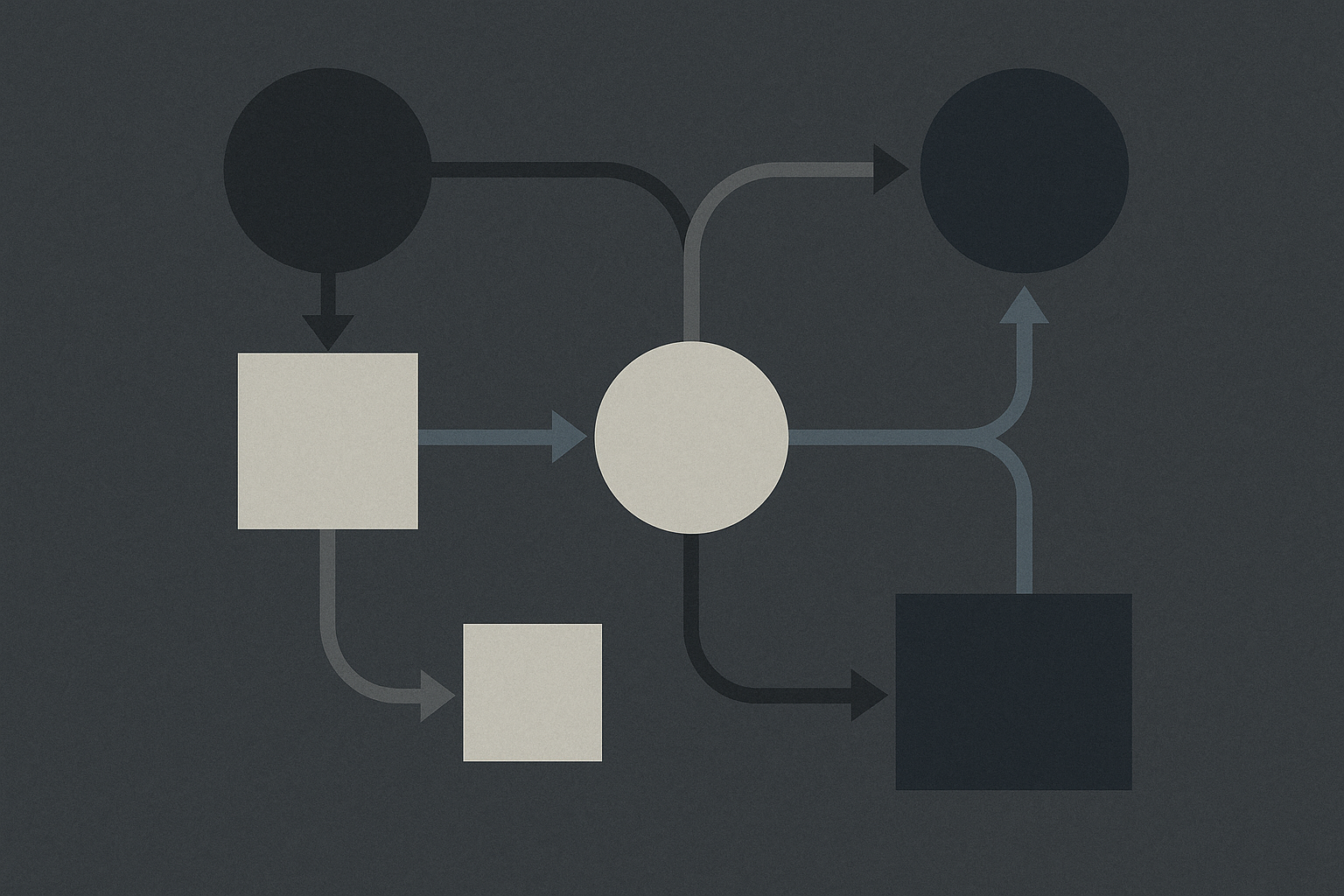
Inventory is fundamentally a finite state machine. A unit of stock moves through states: available, reserved, committed, shipped, returned, damaged, written off. The transitions between those states are events. Events can arrive out of order. Events can fail partway through. Multiple systems — your storefront, your warehouse, your third-party logistics provider, your returns processor — all emit events that affect the same state.
When you buy inventory management software without defining your state machine first, you're handing a complex concurrency problem to a vendor whose default data model may not match yours.
Reservations vs. Commitments vs. Allocations
Three terms that different tools use interchangeably but that actually mean different things operationally:
- Reservation: stock tentatively held against a potential order (checkout in progress, quote pending). Usually time-bounded and reversible.
- Commitment: stock definitively allocated against a confirmed order. The count is decremented from available, but the unit hasn't physically moved yet.
- Allocation: stock physically assigned to a fulfillment pick task. The unit is on its way out the door.
If your inventory management software treats these three states as one, you will oversell during high-traffic periods and undersell during slow ones. Ask any vendor directly: "How do you model reservations separately from committed stock?"
Why Real-Time Doesn't Mean What Vendors Think It Means
Every piece of inventory management software markets itself as "real-time." In practice, real-time means different things:
- Polling-based real-time: the UI refreshes on a timer. Looks live. Isn't.
- Webhook-driven real-time: external systems push events to your inventory layer when stock changes. This is closer to genuine real-time but still has delivery lag and retry logic to manage.
- Event-sourced real-time: every state change is an immutable event; the current state is derived by replaying the event log. This is architecturally correct but operationally complex for most early-stage teams.
For most founders and PMs, webhook-driven sync with idempotency keys is the practical target. Know what you're actually getting before you sign up.
The Four Layers of an Inventory Architecture
Before you evaluate a single piece of software, draw your four layers. This is the conversation that clarifies everything else.
Layer 1: Record of Truth
This is the single system that holds the authoritative count. Every other system is a consumer or a writer with constraints. In practice this is often your ERP, a dedicated inventory service, or your 3PL's WMS. The mistake is letting your storefront or your BI dashboard become the de facto record of truth because they're the most visible systems.
Practical rule: Only one system should own writes to available quantity. Every other system should request changes through that system's API, not write directly to a shared database.
Layer 2: Sync and Integration Layer
This is where inventory management software usually lives — it's the middleware that translates events from your storefront, your suppliers, your fulfillment partners, and your returns processor into mutations on the record of truth. The quality of your integration layer determines the latency and reliability of your inventory counts everywhere downstream.
Layer 3: Demand Signal Layer
This is your forecasting and replenishment logic — the part of your system that looks at sell-through rates, lead times, and safety stock and generates purchase orders or production requests. Many inventory management platforms bundle this with the sync layer. For early-stage products it's usually premature optimization; get the sync layer right first.
Layer 4: Reporting and Visibility Layer
This is the dashboards, the reorder alerts, the aging reports. This is what most teams see when they evaluate inventory management software. It's the least important layer to get right first and the most seductive one to buy.
Practical rule: If a vendor leads with their reporting UI and you haven't asked them about their API, webhooks, and conflict resolution behavior, you're evaluating the wrong layer.
What Breaks in Practice

Here is a representative list of how inventory management implementations actually fail in production. If you've lived through any of these, you're not alone.
Overselling During Flash Events
You launch a limited product drop. Your storefront reads available quantity from a cache. Cache invalidation is asynchronous. 400 orders come in within 90 seconds. Your inventory management software is writing the decrements, but the cache is still showing positive stock to the next 200 buyers. You've just oversold by 200 units and you need to manually cancel and refund those orders.
The fix is not a faster cache. The fix is optimistic locking at the reservation layer — no checkout succeeds unless a reservation is atomically claimed from the authoritative count.
Multi-Channel Sync Lag
You sell on your own storefront, a marketplace, and wholesale. Each channel has a different sync cadence with your inventory management system. Your marketplace integration polls every 15 minutes. Your storefront integration is webhook-driven. Your wholesale portal is updated manually. You sell the last unit on your storefront. Fifteen minutes later, the same unit sells on the marketplace. Your warehouse picks both orders and realizes the problem at pack time.
Practical rule: If you have more than one selling channel, every channel must read from the same availability signal, not from channel-specific snapshots. If a channel's API doesn't support real-time stock updates, buffer that channel's available quantity by a safety stock margin.
Returns Not Re-Entering Available Stock
A returned item comes back into the warehouse. Your 3PL marks it received in their WMS. That event does not automatically trigger an increment in your inventory management software because nobody mapped that webhook. The item sits in a received-not-processed limbo. Your available count is understated. You're leaving revenue on the table.
Returns are a first-class event type, not an edge case. Map them in your state machine before you go live.
Reservation Expiry Without Cleanup
A customer adds an item to their cart. Your system creates a reservation. The customer abandons the cart. If your reservation TTL logic is not rock-solid, that reservation never expires and the unit is phantom-locked indefinitely. At scale, phantom locks can consume 5–15% of your effective available inventory.
Evaluating Inventory Management Software: A Practical Framework
Here is a comparison of what matters versus what vendors emphasize.
| Evaluation Criterion | What Vendors Emphasize | What Actually Matters |
|---|---|---|
| UI quality | Beautiful dashboards, mobile apps | Can you query stock state programmatically via API? |
| Integrations | "200+ integrations" | Are the integrations webhook-driven or polling-based? |
| Real-time sync | "Real-time inventory" | What is the actual P99 sync latency? How is conflict resolved? |
| Multi-warehouse | Feature checkbox | Does it model transit stock between locations as a distinct state? |
| Forecasting | AI-powered demand planning | Is it accurate enough to reduce manual PO review at your volume? |
| Returns handling | Listed as a feature | Is a return event a first-class write to the inventory ledger? |
| Reservations | Checkout integration | Are reservations atomically claimed and TTL-expired automatically? |
| API quality | REST API available | Is there an idempotency key on write operations? Rate limits documented? |
For most early-stage products, the top four rows matter and the bottom four are either premature or binary. Focus your evaluation on API quality, sync model, and conflict resolution.
Questions to Ask Any Vendor
- What happens if a webhook delivery fails? Does your system retry with backoff? What is the retry window?
- If two channels sell the last unit simultaneously, which write wins? How is the conflict surfaced?
- Can I query current available stock (net of open reservations) via API in a single call?
- How does your system handle a negative inventory event — a sale that would push available stock below zero?
- What is the data model for a return — does it write to the inventory ledger or require manual reconciliation?
If a vendor struggles to answer questions 2 and 5, keep looking.
Implementation Sequence for Early-Stage Products
If you are a founder or PM implementing inventory management for the first time, do this in order. Do not skip steps.
Map your state machine. List every state a unit of inventory can be in. List every event that triggers a transition. This is a whiteboard exercise, not a software task. Do it before touching any tool.
Identify your record of truth. Decide — in writing, with the whole team aligned — which system owns the authoritative count. This is usually your inventory management platform, but it might be your 3PL's WMS if they're doing managed fulfillment. The key decision is: who wins in a conflict?
Map your event sources. List every system that can generate an inventory event: storefront checkouts, marketplace orders, wholesale orders, purchase order receipts, return receipts, adjustments, write-offs. For each source, document how the event will be delivered to your record of truth and what happens on delivery failure.
Implement reservations before going live. If you have any multi-channel selling or any meaningful checkout volume, you need atomic reservations before your first sale. This is not a phase-two feature.
Build your reconciliation job. A daily or hourly job that compares your record of truth against your 3PL's WMS, your storefront's count, and your marketplace counts. Discrepancies surface as alerts, not as customer complaints. This is your canary.
Load test your reservation layer. Simulate a traffic spike before your launch. If you're planning a product drop or a launch event, reservation contention under load is your most likely failure mode. Find it in staging.
Document your support runbook. What does a support rep do when a customer emails about an item that shows in-stock on the website but was actually out of stock? What's the manual override path? Who has permission to adjust inventory? Undocumented inventory adjustments are how you lose trust in your numbers.
Set up your reorder alerts before you need them. Don't wait for the stockout. Define your safety stock thresholds and your reorder points during implementation, not during a crisis.
Common Failure Modes and How to Avoid Them

Failure Mode 1: The Spreadsheet Hangover
Teams buy inventory management software but continue maintaining a parallel spreadsheet "just in case." Within three months, the spreadsheet becomes more trusted than the software because it's been updated manually for edge cases the software couldn't handle. The software becomes shelfware.
What works: Kill the spreadsheet the day you go live on the new system. If you don't trust the system enough to do that, the system is not ready to go live.
Failure Mode 2: Treating Inventory Software as a Reporting Tool
The team uses the inventory management platform's dashboards but continues to have external systems write stock levels directly to the storefront or marketplace. The platform's numbers are always slightly off because it's not the actual record of truth — it's just observing writes that happen elsewhere.
What works: The inventory management platform must be in the write path, not just the read path. If you can't route all stock mutations through it, it's not your record of truth — it's a BI tool.
Failure Mode 3: Over-Engineering for Scale You Don't Have
Founders building their first product sometimes spend three months designing an event-sourced inventory service with full CQRS before they've made ten sales. The architecture is correct in theory and irrelevant in practice at their current stage.
What works: Solve today's scale with today's simplest correct model. A single Postgres table with optimistic locking handles tens of thousands of SKUs and thousands of concurrent users if the queries are indexed correctly. Add complexity when the pain of the simple model becomes real.
Failure Mode 4: Neglecting the Supplier Side
Most inventory management implementations focus entirely on the sales side — how stock leaves the building. The supplier side — how stock enters the building — gets manual purchase orders and email confirmations. When a supplier ships short or late, nobody knows until the warehouse team notices a discrepancy during a physical count.
What works: Treat inbound purchase orders as first-class objects in your inventory management software. Expected receipts, partial receipts, and supplier discrepancies are events in your state machine, not exceptions to it.
Failure Mode 5: No Ownership, No SLA
Inventory data quality degrades because no single person owns it. Adjustments happen without documentation. The reconciliation job surfaces discrepancies that nobody investigates. Over time the counts drift so far from reality that teams stop trusting them and revert to physical counts.
What works: Assign a named owner for inventory data quality. Set a documented SLA for resolving reconciliation discrepancies ("any discrepancy over X units or X% must be investigated within 24 hours"). Inventory hygiene is an operational discipline, not a software feature.
When to Build vs. Buy vs. Integrate
This is the decision most founders and PMs agonize over longest. Here's a practical decision matrix.
Buy a purpose-built platform if:
- You're selling physical goods and your inventory complexity is primarily operational (multi-warehouse, multi-channel, purchase orders, supplier management)
- You don't have a dedicated engineering team that can maintain a custom service
- Your SKU count and order volume fit within a standard platform's pricing tier without heroic workarounds
Build a custom inventory service if:
- Your inventory model has domain-specific rules that no off-the-shelf platform supports (seat-based software licenses, usage-metered entitlements, digital goods with complex allocation logic)
- You need sub-second reservation latency and your volume justifies the engineering investment
- You're building a marketplace or multi-tenant platform where inventory is a core product primitive, not an operational concern
Integrate via API/middleware if:
- Your 3PL or ERP already owns the authoritative count and has a reliable API
- You need your storefront and other channels to consume that count, not own it
- You want a thin integration layer rather than another system of record
The mistake teams make is buying a platform when they should be integrating, or integrating when they actually need a platform with domain-specific logic built in. The tell is whether your inventory model is standard or custom. Standard operational needs: buy. Custom domain rules: build.
Practical rule: If you're spending more than two engineering weeks adapting an off-the-shelf platform to fit your data model, the platform is wrong for your model. Either your model is over-engineered or the platform is under-specified. Figure out which before you spend more time.
Connecting Inventory Architecture to Your Shipping Strategy
If you are building a software product that ships — whether that's a physical product, a SaaS platform with metered resource allocation, or a marketplace — your inventory architecture is not a back-office concern. It is directly load-bearing for your go-to-market.
Your launch capacity is bounded by your inventory state machine. If you can't atomically reserve stock at checkout, your launch event will produce refunds and support tickets, not revenue and word-of-mouth. If your multi-channel sync has a 15-minute lag, your marketplace channel will oversell every time you run a promotion. If your returns are not re-entering available stock automatically, your effective capacity is lower than your actual stock on hand.
Every shipping strategy — a big-bang launch, a limited drop, a rolling waitlist, a beta access queue — maps to a specific set of demands on your inventory layer. The limited drop demands atomic reservations and instant availability updates. The waitlist demands a reservation-with-expiry model and a fulfillment queue. The rolling beta demands seat allocation with per-tenant limits. Map your go-to-market motion to your inventory state machine before you pick your software.
Founders and PMs who treat inventory management software as a post-launch operational cleanup task consistently ship launches that generate more support work than they should. The ones who design their inventory architecture before their first sale ship launches that scale.
That's not a coincidence. Your inventory model is part of your product. It has uptime requirements, SLAs, and failure modes just like your application code. Treat it that way.
Practical rule: The best time to design your inventory architecture is before you write your first line of checkout code. The second best time is right now, before your next launch.
Try sh1pt.com
sh1pt.com is built for founders, indie hackers, and PMs who want to move from idea to market without losing weeks to the wrong decisions. If you're working through a product launch, a shipping strategy, or an architecture decision like the one covered here, sh1pt.com is where operators share what actually works.