
Peptide software development looks simple until the first real order, lab result, fulfillment issue, or compliance question hits the team at the same time.
A founder starts with a familiar idea: build a portal, list products, let users place orders, track shipments, and maybe add a dashboard for inventory. That is the easy part. The hard part is knowing which peptide batch moved through which workflow, who approved which claim, why a checkout failed, whether a user saw the right disclosure, and how support can answer a question without guessing.
Teams think the problem is building peptide software. The real problem is designing an operating system for a sensitive product category where science, commerce, compliance, and customer support all touch the same record.
That changes the conversation. Peptide software development is not just a coding project. It is an architecture and launch workflow decision. If you are shipping a product in this space in 2026, the practical question is not whether you can build a nice interface. It is whether your software can keep the business honest when volume, exceptions, and edge cases show up.
Table of contents
- Why peptide software development is a workflow problem
- Map the product surface before writing code
- Design the core architecture for peptide software development
- Build the data model around traceability
- Payments, checkout, and order operations
- Compliance and claims control in the product
- Integrations that make or break launch
- What works for an MVP
- Common failure modes in peptide software development
- Launch workflow and implementation sequence
- Product-fit note for sh1pt builders
Why peptide software development is a workflow problem
The UI is the smallest piece
The mistake teams make is treating peptide software like a storefront with a scientific skin. They start with product cards, account pages, checkout, order history, and a few educational pages. That can be enough for a demo. It is rarely enough for production.
The moment a real workflow starts, the product needs answers to operational questions:
- Which lot or batch is associated with this item?
- What certificate, test result, or quality document is connected to that batch?
- Who changed the product description, and when?
- Which users saw which warnings, policies, or eligibility gates?
- What happened when payment succeeded but fulfillment failed?
- Can support see the full order timeline without editing sensitive data?
A useful way to think about it is this: the interface is a window into a chain of custody. If the chain is weak, a better UI only makes the weakness easier to scale.
Practical rule: Build the system of record before polishing the system of presentation.
For founders, this is uncomfortable because systems of record feel slower than front-end work. They require naming states, defining ownership, and deciding what cannot be edited casually. But those decisions are what let you ship without creating a support and compliance mess.
The risk sits between teams
Peptide products often touch multiple teams or vendors: product, lab operations, fulfillment, compliance, marketing, payment operations, and customer support. Each team may have its own tool. The risk is not always inside one tool. It is in the handoff.
Marketing updates a page, but compliance does not review the claim. Inventory marks a batch available, but the attached document is stale. Checkout accepts an order, but the address requires manual review. Support promises a replacement, but the original order state is never reconciled.
What breaks in practice is not the happy path. It is the exception path. Peptide software development should therefore start by mapping exceptions, not by designing the prettiest normal flow.
Map the product surface before writing code
Choose the operating model
Before building, decide what kind of product you are actually shipping. Different peptide software products carry different workflow requirements.
| Operating model | Primary workflow | Main software risk | MVP focus |
|---|---|---|---|
| Research catalog | Browse, order, fulfill, document | Product claims and batch traceability | Catalog, batch records, checkout states |
| Lab operations tool | Sample, test, approve, release | Data integrity and audit trail | Immutable records, roles, approvals |
| Clinic-facing platform | Intake, eligibility, provider review, follow-up | Compliance, consent, clinical boundaries | Gated workflow, secure messaging, review logs |
| Inventory and fulfillment system | Receive, store, pick, ship, reconcile | Lot mapping and stock accuracy | Inventory ledger, shipping events, exceptions |
| Education/community product | Content, subscriptions, gated resources | Claims review and user segmentation | Publishing controls, disclaimers, access rules |
The table is not legal or medical advice. It is a product planning tool. Your operating model determines your architecture. A research catalog and a clinic workflow should not share the same assumptions about users, approvals, records, or messaging.
The practical question is: which workflow must be correct even when everything else is rough?
If you cannot answer that, you are not ready to scope the MVP.
Separate user journeys by risk
Most teams draw one customer journey. Better teams draw several journeys based on risk.
For example:
- Anonymous visitor reading public content
- Registered user viewing gated content
- Customer placing an order
- Internal operator approving inventory
- Support agent resolving an exception
- Compliance reviewer approving copy
- Admin changing pricing or product availability
Each journey needs different permissions, logs, and failure handling. Do not give every internal user a super-admin dashboard because it is faster. That shortcut becomes expensive when someone edits a sensitive field and nobody knows why.
Practical rule: If a user can change availability, claims, pricing, batch data, or fulfillment status, that action needs an audit trail.
This is where many early products become fragile. They use simple CRUD screens for workflows that are not really CRUD. A product description is not just text. It may be a reviewed claim. A batch document is not just a file. It may be evidence. An order status is not just a label. It may determine fulfillment, refunds, notifications, and support scripts.
Design the core architecture for peptide software development
Use state machines instead of status text
In peptide software development, status fields are dangerous when they are treated as decoration. A dropdown with pending, paid, shipped, canceled, and refunded looks harmless. Then someone adds manual_review, partially_fulfilled, replacement_sent, payment_failed, document_missing, and hold. Soon nobody knows which transitions are valid.
Use state machines for the workflows that matter:
- Order lifecycle
- Payment lifecycle
- Fulfillment lifecycle
- Batch release lifecycle
- Content review lifecycle
- Support exception lifecycle
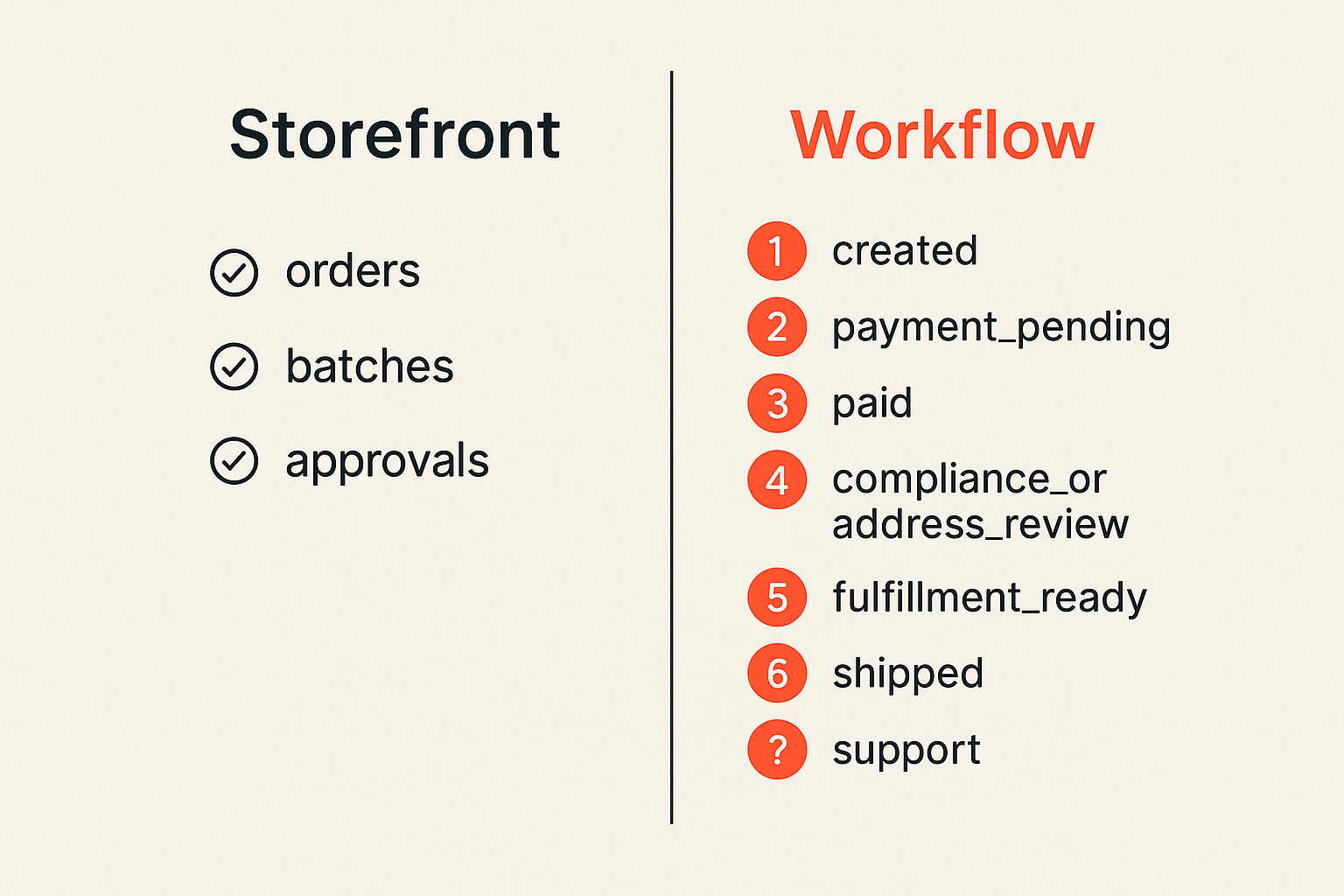
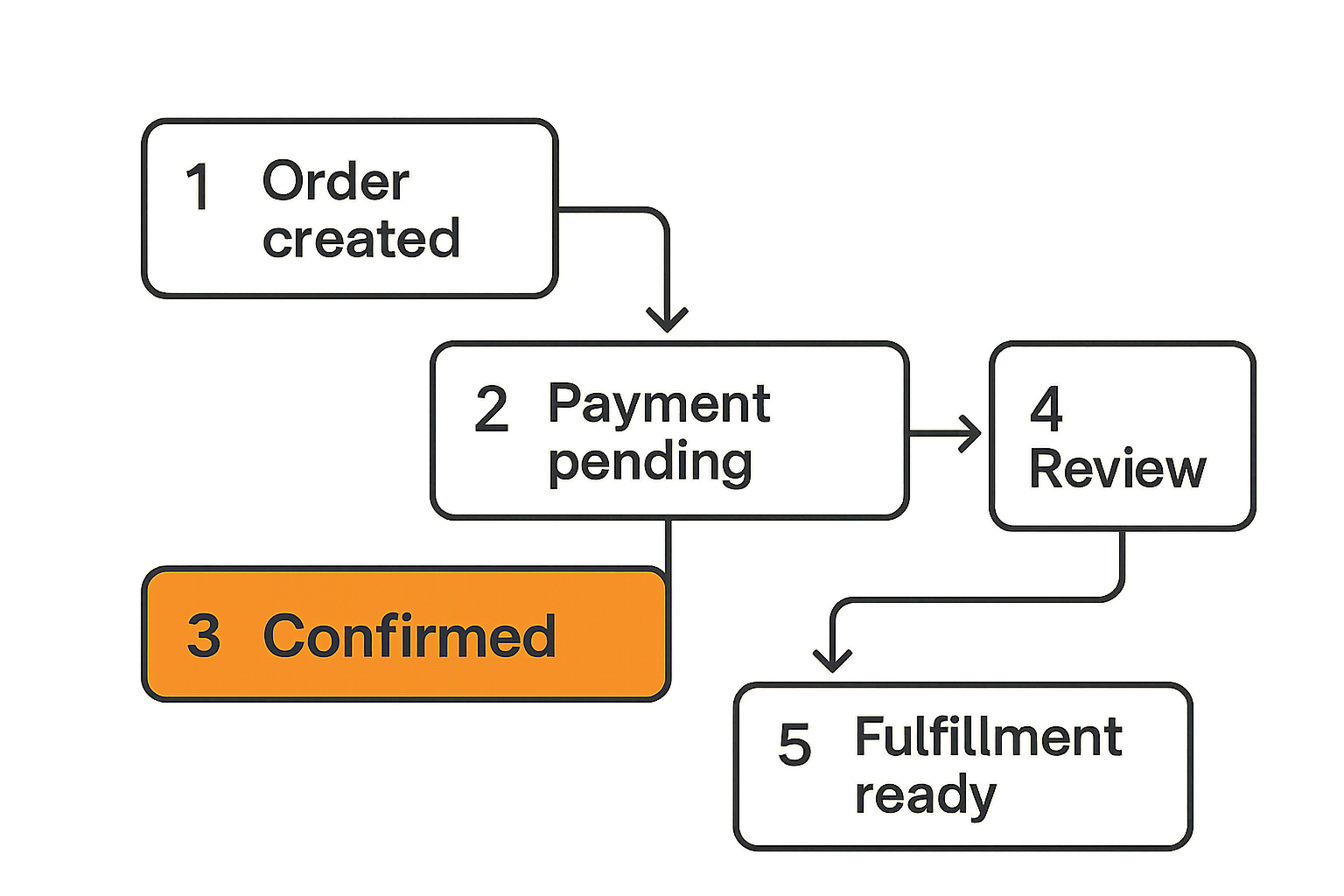
A state machine defines allowed transitions. An order can move from created to payment_pending, then to paid, then to fulfillment_ready. It should not jump from created to shipped because an admin clicked the wrong dropdown.
A simple order workflow might look like this:
- created
- payment_pending
- paid
- compliance_or_address_review, if needed
- fulfillment_ready
- fulfilled
- shipped
- delivered
- closed
Exception states belong in the model too:
- payment_failed
- payment_expired
- inventory_hold
- document_hold
- canceled
- refunded
- replacement_requested
The point is not to make the system complicated. The point is to make complexity explicit.
Practical rule: Any workflow that affects money, inventory, compliance, or customer promises should be stateful, logged, and hard to skip accidentally.
Keep scientific records immutable
For records connected to lab data, batch identity, certificates, release decisions, or quality documentation, avoid casual edits. If something changes, create a new version or correction record.
This is not just about compliance posture. It is about operational sanity. When a support issue appears three weeks later, you need to know what was true at the time of the order. If a document was replaced, the old version still matters. If a batch was marked unavailable, the reason matters. If a product page changed, the previous version may matter.
A practical pattern:
- Store current display data separately from historical evidence.
- Version documents and claims.
- Log who approved or rejected a release.
- Attach evidence to the object it supports.
- Make destructive deletes rare and permissioned.
For early teams, this can be simple. You do not need enterprise document management on day one. You do need a bias toward append-only history for anything that explains a decision.
Build the data model around traceability
Entities that matter
Traceability is not an add-on. It is the backbone of peptide software development. If you model only users and orders, you will end up stuffing critical facts into notes fields, file names, and spreadsheets.
At minimum, consider these entities:
- User or account
- Organization, if selling to labs or teams
- Product
- Variant or SKU
- Batch or lot
- Certificate or test document
- Inventory movement
- Order
- Payment attempt
- Shipment
- Review or approval
- Support case
- Audit event
The important part is how these objects relate. An order line should point to the specific SKU and, when allocated, the batch or lot. A batch should point to documents and release status. A shipment should point to order lines, not just a customer address. A support case should link to the order timeline.
This is how you prevent expensive questions from becoming detective work.
A basic relationship map:
| Object | Should connect to | Why it matters |
|---|---|---|
| Product | Claims, variants, review state | Prevents unreviewed publishing |
| Variant or SKU | Inventory, pricing, batch rules | Keeps catalog and stock aligned |
| Batch or lot | Documents, release status, inventory movements | Supports traceability |
| Order | User, payment attempts, order lines, consent events | Creates a full commercial record |
| Shipment | Carrier events, order lines, exception notes | Helps support and reconciliation |
| Audit event | Actor, object, old value, new value | Explains who changed what |
Where teams over-model
The opposite mistake is building a massive schema before shipping anything. That is usually a sign the team is avoiding the harder launch decision: what is the smallest workflow we can safely operate?
Do not model every theoretical lab process if your MVP is a restricted catalog. Do not build a full CRM if support volume is low. Do not build complex forecasting if batch allocation is still manual.
What works is a data model that protects the irreversible parts:
- Money movement
- Inventory allocation
- Scientific or quality evidence
- User consent or acknowledgements
- Claims review
- Fulfillment promises
What fails is modeling everything equally. A blog tag and a batch release decision do not deserve the same architectural weight.
Payments, checkout, and order operations
Treat payment as a state transition
Checkout is where software teams often underestimate operations. They think payment is a button. The real workflow is authorization, confirmation, reconciliation, failure recovery, refund logic, and support visibility.
This guest contribution comes from the team at coinpayportal.com, where payment infrastructure problems usually become state, reconciliation, and support problems rather than button-placement problems.
That same lesson applies here. Whether you use card payments, bank payments, invoicing, crypto rails, or a mix, the order should not depend on a single front-end success screen. Payment events should update the order through reliable backend transitions.
A healthier pattern:
- Create order in created state.
- Create payment attempt in pending state.
- Send user to checkout or payment instructions.
- Receive payment confirmation from provider or webhook.
- Mark payment attempt confirmed only after verification.
- Move order to paid or review state.
- Reconcile settlement later without changing the historical payment event.
This protects you from browser closes, duplicate clicks, delayed confirmations, provider outages, and support confusion.
Handle failures without manual chaos
Failures are not rare edge cases. They are part of the product.
Common checkout and order failures include:
- User pays but closes the browser before redirect.
- Payment provider sends webhook twice.
- Payment arrives late after the order expires.
- User underpays or overpays.
- Inventory becomes unavailable after checkout starts.
- Address or eligibility rules require review.
- Refund is requested after fulfillment work begins.
The mistake teams make is solving these with admin notes. Notes are fine for context. They are not a workflow engine.
Use idempotency keys for payment attempts and order submissions. Store provider event IDs. Make webhook handlers safe to retry. Give support a timeline that shows payment attempt, confirmation, inventory allocation, fulfillment hold, and customer notifications.
A compact payment event structure can go a long way:
- provider
- provider_event_id
- payment_attempt_id
- amount_expected
- amount_received
- currency
- status
- received_at
- raw_event_reference
You can keep the first version simple. Just do not make payment truth live only in emails, screenshots, or provider dashboards.
Compliance and claims control in the product
Put rules where publishing happens
Compliance often gets treated as a policy document outside the software. That is not enough. If claims, product pages, educational content, emails, and checkout copy are created inside the product workflow, review controls need to exist there too.
The goal is not to slow every word change. The goal is to prevent high-risk changes from bypassing review.
For example, you can separate content into risk levels:
| Content type | Risk level | Suggested control |
|---|---|---|
| Generic navigation copy | Low | Standard edit permissions |
| Product specifications | Medium | Change log and reviewer notification |
| Research-use statements | Medium | Required approval before publish |
| Health, outcome, or usage claims | High | Locked workflow and legal/compliance review |
| Transaction disclosures | High | Versioned acknowledgement record |
A useful way to think about it is that the product should make the safe path the default. If someone needs to publish sensitive language, the software should route that change through review instead of relying on memory.
Create reviewable evidence
Review is not useful if nobody can prove what was reviewed. Store the actual version that was approved, who approved it, when it went live, and where it appeared.
This matters for:
- Product pages
- Checkout disclosures
- Email templates
- Onboarding flows
- Educational content
- User acknowledgements
- Internal operating procedures
For user-facing acknowledgements, store the version accepted by the user at the time. Do not only store accepted_terms = true. That boolean loses the important fact: accepted which terms?
A better record includes:
- user_id
- policy_or_disclosure_id
- version
- accepted_at
- source_flow
- IP or session reference, if appropriate
Again, this is not about building a massive governance platform on day one. It is about avoiding the predictable failure where a team cannot reconstruct what happened.
Integrations that make or break launch
Lab and inventory systems
Integrations should be chosen based on operational truth, not vendor logos. If the lab system is where batch release is decided, your software needs a reliable way to reflect that. If inventory is managed in a warehouse tool, your catalog cannot pretend stock is available just because the product is active.
The practical integration questions are:
- Which system owns batch identity?
- Which system owns available inventory?
- Which system owns final release or hold status?
- How often can data sync safely?
- What happens when systems disagree?
- Who resolves conflicts?
What works is assigning ownership per field. Product name may live in the catalog. Available stock may live in the inventory ledger. Release status may live in the quality workflow. The application can display all of it, but it should not pretend to own all of it.
What fails is two-way sync without clear ownership. That creates overwrites, stale data, and meetings where nobody trusts the dashboard.
Shipping, notifications, and support
Shipping integrations are not just about printing labels. They are part of the promise you make to the customer.
A shipment workflow should expose:
- Label created
- Package handed to carrier
- In transit
- Delivery exception
- Delivered
- Returned
- Replacement initiated
Support needs the same timeline the system uses. If support has to open three tools to answer one question, your product is not actually operationally ready.
Notifications should be event-driven, not scattered through controllers. When an order enters fulfillment_ready, send the appropriate internal alert. When shipment enters carrier_exception, create a support task or notification. When a refund is issued, update the customer timeline.
The operational test is simple: can a support person answer what happened, what happens next, and who owns the next action without asking an engineer?
What works for an MVP
The narrow wedge
An MVP in this category should not mean reckless. It should mean narrow.
A good peptide software MVP might support:
- One operating model
- One user type or customer segment
- A limited catalog
- Manual review where automation is not ready
- One payment flow
- One fulfillment workflow
- Basic audit logs
- Batch-to-order traceability
- Versioned high-risk content
That is enough to learn without pretending you are already a platform.
The best MVPs make constraints visible. If only certain products are available, show that. If an order requires manual review, show a clear state. If documents are pending, prevent fulfillment instead of relying on someone to remember.
Practical rule: Narrow scope is fine. Hidden scope is what kills launches.
What to postpone
Some features feel impressive but are usually not needed for the first launch:
- Advanced recommendation engines
- Complex personalization
- Multi-region tax logic, unless required on day one
- Full warehouse optimization
- Custom analytics dashboards for every role
- Complex loyalty systems
- AI chat over sensitive records without strong controls
- Marketplace features with multiple sellers
Postponing these does not make the product weak. It keeps the product shippable.
The mistake teams make is confusing launch credibility with feature count. In a sensitive category, credibility comes from clear workflows, accurate records, and predictable exception handling.
If your first users can place valid orders, receive accurate updates, and get support without internal panic, you have a real foundation.
Common failure modes in peptide software development
Broken ownership
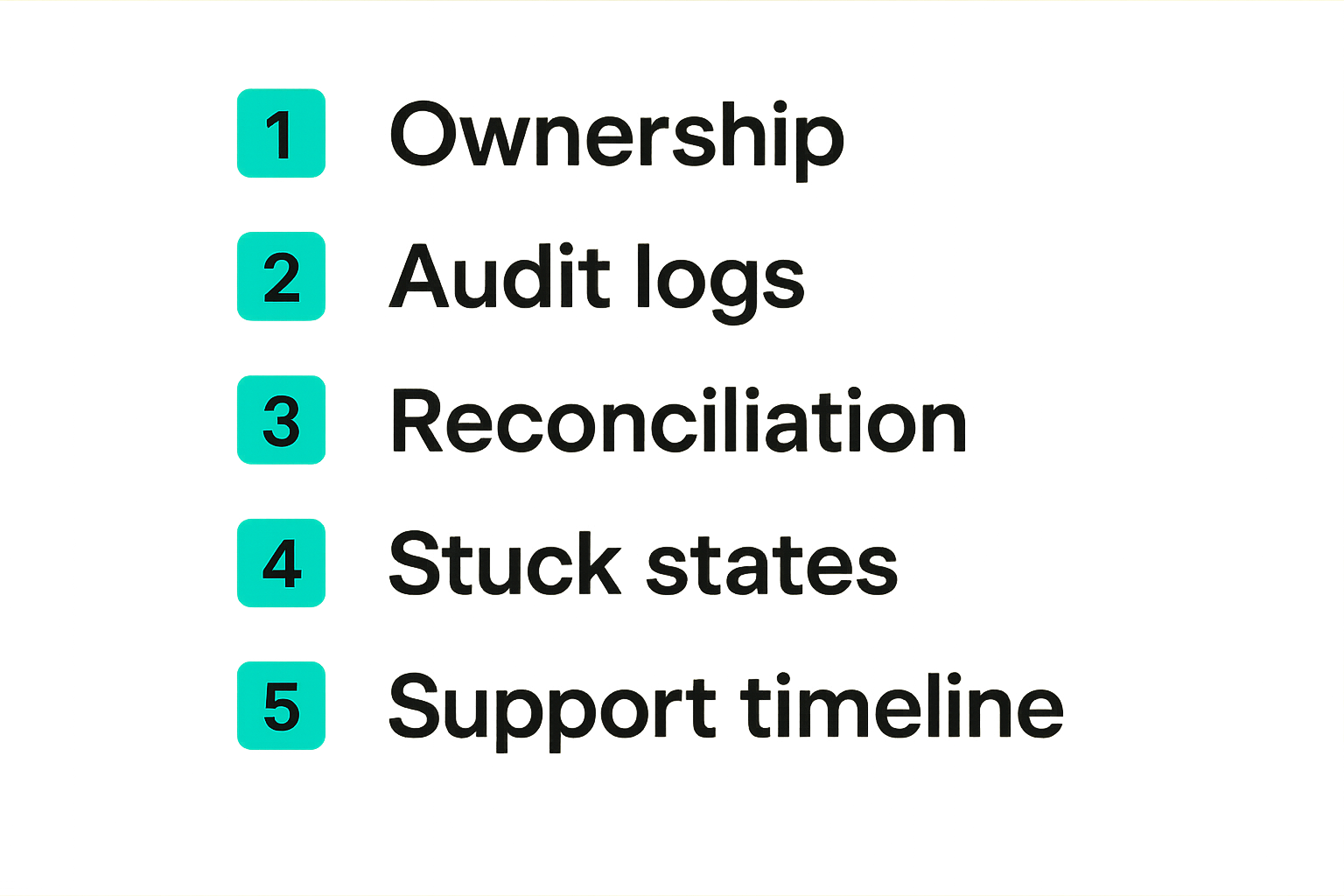
The most common failure mode in peptide software development is broken ownership. Nobody knows which system or person owns the truth.
Symptoms include:
- Product pages show available items that operations says are on hold.
- Support sees a different order state than fulfillment.
- Marketing publishes copy that compliance has not reviewed.
- Payment provider shows paid, but the app shows pending.
- Inventory adjustments happen in spreadsheets and are imported later.
- Engineers become the escalation path for routine order questions.
This is not a tooling problem first. It is an ownership problem.
Fix it by assigning owners to workflows and data domains:
| Domain | Owner | System of record | Escalation path |
|---|---|---|---|
| Product content | Product or marketing lead | CMS or catalog service | Compliance reviewer |
| Claims review | Compliance owner | Review workflow | Founder or legal advisor |
| Batch release | Lab or quality lead | Quality record system | Operations lead |
| Inventory availability | Operations | Inventory ledger | Fulfillment lead |
| Payment confirmation | Finance or ops | Payment event store | Payment provider support |
| Customer exceptions | Support lead | Support case timeline | Operations manager |
When ownership is explicit, software can enforce the workflow. When ownership is fuzzy, software becomes a shared notes app with login screens.
Silent data drift
Silent data drift is when the system looks fine but the underlying truth is slowly diverging.
Examples:
- Batch documents are updated in storage but not re-linked in the app.
- Inventory is adjusted manually after damaged goods, but the catalog still shows stock.
- Product copy is changed in a CMS without updating the approved version.
- Payment refunds happen in the provider dashboard but not in the order system.
- Shipment exceptions are visible at the carrier but not in support.
Data drift is dangerous because nobody feels the pain immediately. Then a customer asks a detailed question, a team member leaves, or a review is needed, and the gaps appear.
Prevent drift with simple controls:
- Scheduled reconciliation jobs
- Daily exception queues
- Webhook retry monitoring
- Field-level ownership
- Audit logs for sensitive changes
- Dashboards for stuck states
Do not wait for perfect observability. Start with a stuck-order report, a failed-webhook report, and a records-missing report. Those three views catch more problems than most early analytics dashboards.
Launch workflow and implementation sequence
A practical build order
Peptide software development gets easier when you build in the order of operational risk, not visual excitement.
A practical implementation sequence:
- Define the operating model and what the software will not do.
- Map the critical workflows: order, payment, batch, fulfillment, support, content review.
- Define states and allowed transitions for each workflow.
- Design the traceability model around products, batches, documents, orders, and shipments.
- Build role-based permissions for sensitive actions.
- Implement payment and checkout with idempotency and webhook retries.
- Add audit events for high-risk changes.
- Build internal exception queues before advanced analytics.
- Run test orders through failure paths, not only happy paths.
- Launch with a narrow catalog or controlled user group.
- Review stuck states daily for the first launch window.
- Expand only after support and operations can keep up.
Notice what is missing from the top of the list: pixel-perfect dashboards. Those matter, but not before the workflow is trustworthy.
A product can recover from a plain interface. It may not recover from lost payment records, ambiguous batch traceability, or unreviewed claims shipped at scale.
Validation before scale
Validation is not just asking users whether they like the product. For this category, validation includes operational proof.
Before scaling, confirm:
- Every order can be traced to the correct product and batch logic.
- Every payment state reconciles with the provider.
- Every high-risk content change has a review record.
- Support can answer common questions without engineering help.
- Fulfillment can see holds, releases, and exceptions.
- Failed webhooks and stuck states are visible.
- Admin permissions match real responsibilities.
- Manual steps are documented and assigned.
Run tabletop tests. Pick scenarios and walk through them:
- Payment succeeds but webhook is delayed.
- Inventory goes on hold after checkout begins.
- A product page needs urgent correction.
- A shipment is marked delivered but customer reports non-receipt.
- A batch document is replaced.
- A refund is requested after fulfillment starts.
What breaks in practice during these exercises is usually where you should invest before launch. Not every gap needs automation. Some gaps need a clearer owner, a better queue, or a stricter state transition.
Product-fit note for sh1pt builders
Shipping beats planning when scope is honest
For indie hackers, startup founders, PMs, and solopreneurs, the temptation is to either overbuild the whole platform or avoid the hard parts until after launch. Both are risky.
Shipping works when scope is honest. A narrow product with strong workflow boundaries can launch, learn, and improve. A broad product with weak records will create operational debt faster than it creates insight.
If you are exploring peptide software development, start by writing down the workflows your first version will own. Then write down the workflows it will not own. That second list is just as important. It tells you where manual process, vendor tools, or launch constraints must cover the gap.
A useful launch posture is:
- Small surface area
- Clear ownership
- Strong traceability
- Visible exceptions
- Conservative claims workflow
- Support-ready timelines
- Incremental automation
That is not slow. That is how you avoid rebuilding the product immediately after getting traction.
When to use sh1pt.com
sh1pt.com is built for people trying to move from idea to market without turning every decision into a six-month planning cycle. That fits this problem well because peptide software development needs disciplined shipping, not endless architecture theater.
Use sh1pt.com to structure the launch work: define the wedge, track the build sequence, capture product decisions, and keep the team focused on what must be true for the first safe release.
The closing point is simple: peptide software development is a launch workflow problem before it is a feature checklist. Build the parts that preserve trust first, then expand the product surface.
Try sh1pt.com
Plan, build, and launch software products with a practical shipping workflow. Try sh1pt.com