
Most teams searching for how to launch a software product are not short on launch tactics. They have checklists, social posts, waitlists, landing pages, demo videos, and maybe a Product Hunt date circled on the calendar.
Then launch week arrives and the system bends. Support questions land in five places. Trial users do not match the ICP. The onboarding path leaks. The founder is answering DMs while trying to patch bugs. Nobody knows which feedback matters, which objections are real, or whether the launch is working.
Teams think the problem is visibility. The real problem is launch architecture.
A software launch is not an announcement. It is a workflow that moves a specific audience from awareness to activation to proof to retention. That changes the conversation. The practical question is not whether you should post more. It is whether the product, messaging, operations, and feedback loop can survive contact with real users in 2026.
Table of contents
- Launch architecture is the real work
- Define the launch outcome before the launch plan
- Position the product around a painful workflow
- Build the validation loop before public traffic
- Design the product state machine
- Prepare the launch surface area
- Run the launch as an operating sequence
- Measure the launch without lying to yourself
- Common failure modes in software product launches
- Where sh1pt.com fits into the launch workflow
Launch architecture is the real work
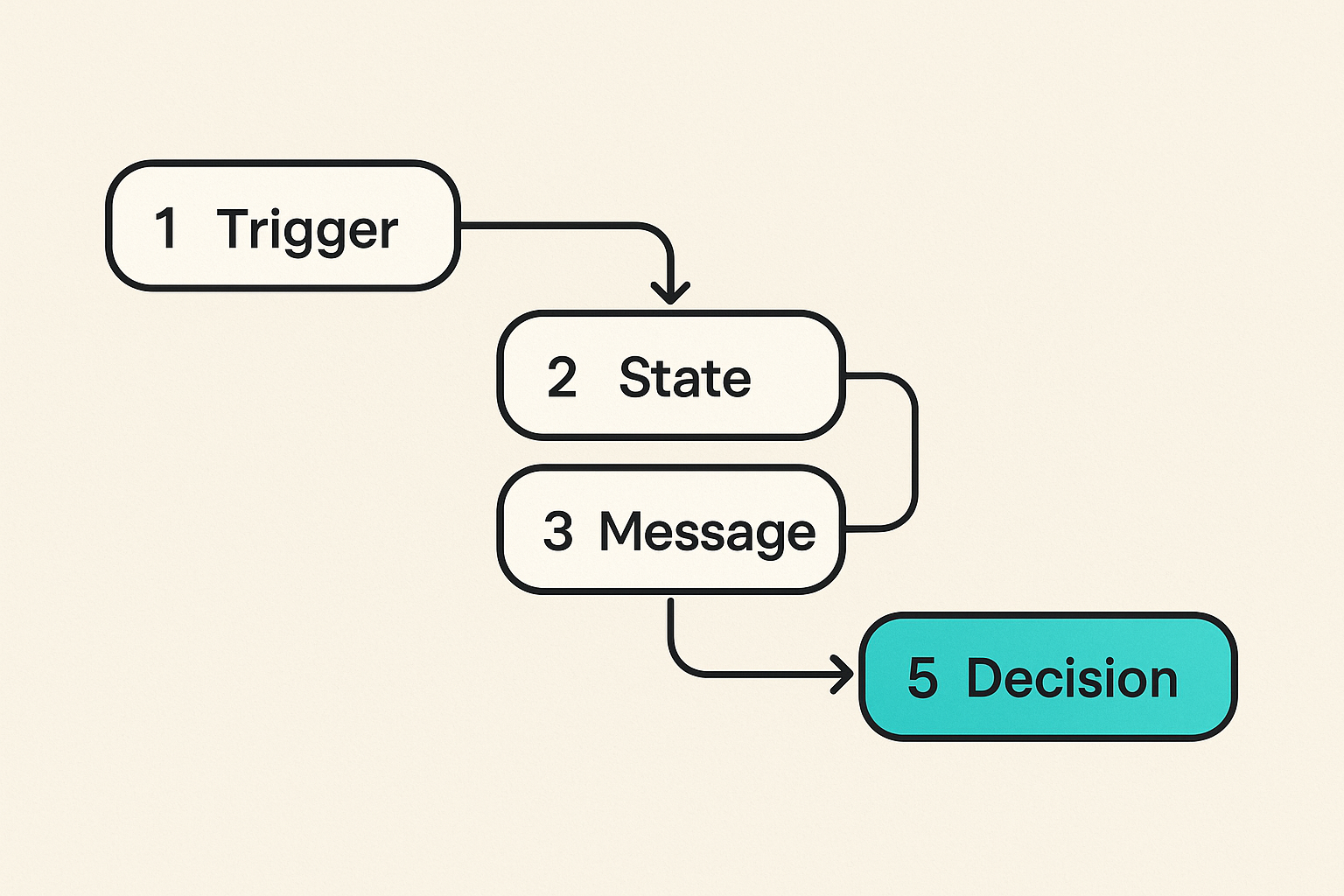
A useful way to think about how to launch a software product is this: the launch is a temporary operating system for learning under pressure. It has inputs, state transitions, owners, messages, failure modes, and feedback loops.
The mistake teams make is treating launch as a marketing event attached to a product build. In practice, launch exposes whether the product is understandable, whether the ICP is real, whether onboarding works, whether the founder can prioritize, and whether the team has a way to separate noise from demand.
What a launch system must control
A launch system needs to control five things:
- Audience: who the product is for and who it is not for.
- Promise: the painful workflow you improve.
- Path: how a user moves from interest to first value.
- Proof: what evidence shows that the product is working.
- Response: how the team handles questions, bugs, objections, and follow-up.
If any one of these is missing, more traffic usually makes the launch worse. You get more sessions, more unclear feedback, more support load, and less confidence.
Practical rule: do not scale attention until you can explain what a good user should do next and how you will know they did it.
Why launch day is too late
Launch day should not be the first time users touch the product, read the positioning, or ask obvious questions. By then, you are trying to debug messaging, product quality, onboarding, pricing, support, and analytics in public.
For many indie hackers and startup founders, the better model is staged exposure. Start with conversations. Move to private access. Then a narrow public launch. Then broader distribution. Each stage should reduce uncertainty, not simply increase reach.
Related reading from our network: teams running external detection work face a similar operations problem in freelancing threat detection as a SOC workflow, where the issue is not talent alone but signal, ownership, validation, and handoff.
Define the launch outcome before the launch plan
Before channels, copy, assets, and posting schedules, decide what the launch is meant to prove. This sounds basic, but it is where many launches become vague.
A launch can validate demand, convert early revenue, recruit design partners, test onboarding, fill a waitlist, or prove that a new segment responds to a sharper promise. Those are different launches. They need different metrics and different decisions after the launch.
Pick one primary conversion event
Your launch needs one primary conversion event. Not five. One.
Examples:
- Book a demo with a qualified team.
- Start a trial and complete setup.
- Join a paid beta.
- Install the app and perform the core action.
- Request access with a clear use case.
Secondary events matter, but they should not compete with the primary event. If the main goal is paid beta conversion, newsletter signups are useful context, not success.
Separate signal from vanity
The table below is a simple way to separate launch noise from launch signal.
| Launch data | Looks good | Actually useful when |
|---|---|---|
| Page views | High traffic spike | You know source quality and downstream conversion |
| Social likes | Public validation | They come from the target buyer or user |
| Waitlist signups | Big number | You collect role, problem, urgency, and intent |
| Trial starts | Product interest | Users reach first value without founder rescue |
| Revenue | Strong proof | The buyer matches the segment you want to serve |
| Feedback volume | Lots of comments | Feedback clusters around repeated workflow pain |
Practical rule: a smaller launch with clean conversion data is more useful than a larger launch that produces applause and confusion.
Position the product around a painful workflow
Most product positioning is too product-centered. It explains features, interface choices, integrations, and roadmaps. Users are usually asking a different question: does this fix the annoying thing I already deal with?
If you want to launch well, position around the workflow the user recognizes. The product is the mechanism. The pain is the entry point.
Write for the before state
The before state is the user experience before your product exists in their life. It is where the urgency lives.
For example:
- Before: founders collect customer feedback across calls, DMs, forms, and analytics, then lose track of what matters.
- After: feedback is routed into a launch decision board with owner, status, segment, and priority.
That before-after pattern is more useful than saying the product has dashboards, tags, AI summaries, and integrations. Those might matter, but only after the user sees themselves in the problem.
Use constraints as positioning
Good positioning includes what the product will not do. That feels uncomfortable because teams want the largest possible market. But early launches need sharp edges.
Say who the product is for:
- For solo founders launching B2B micro-SaaS.
- For product managers testing a new workflow inside an existing product.
- For agencies turning repeated client work into a packaged tool.
Say who it is not for yet:
- Not for enterprise procurement-heavy rollouts.
- Not for teams needing complex permission models.
- Not for marketplaces with two-sided liquidity problems.
This is not weakness. It reduces bad-fit traffic and gives good-fit users confidence.
If your product came out of services or client work, the launch constraints matter even more. The workflow in a freelancing product launch is a useful adjacent model because service delivery often reveals the repeated pain before the software exists.
Build the validation loop before public traffic
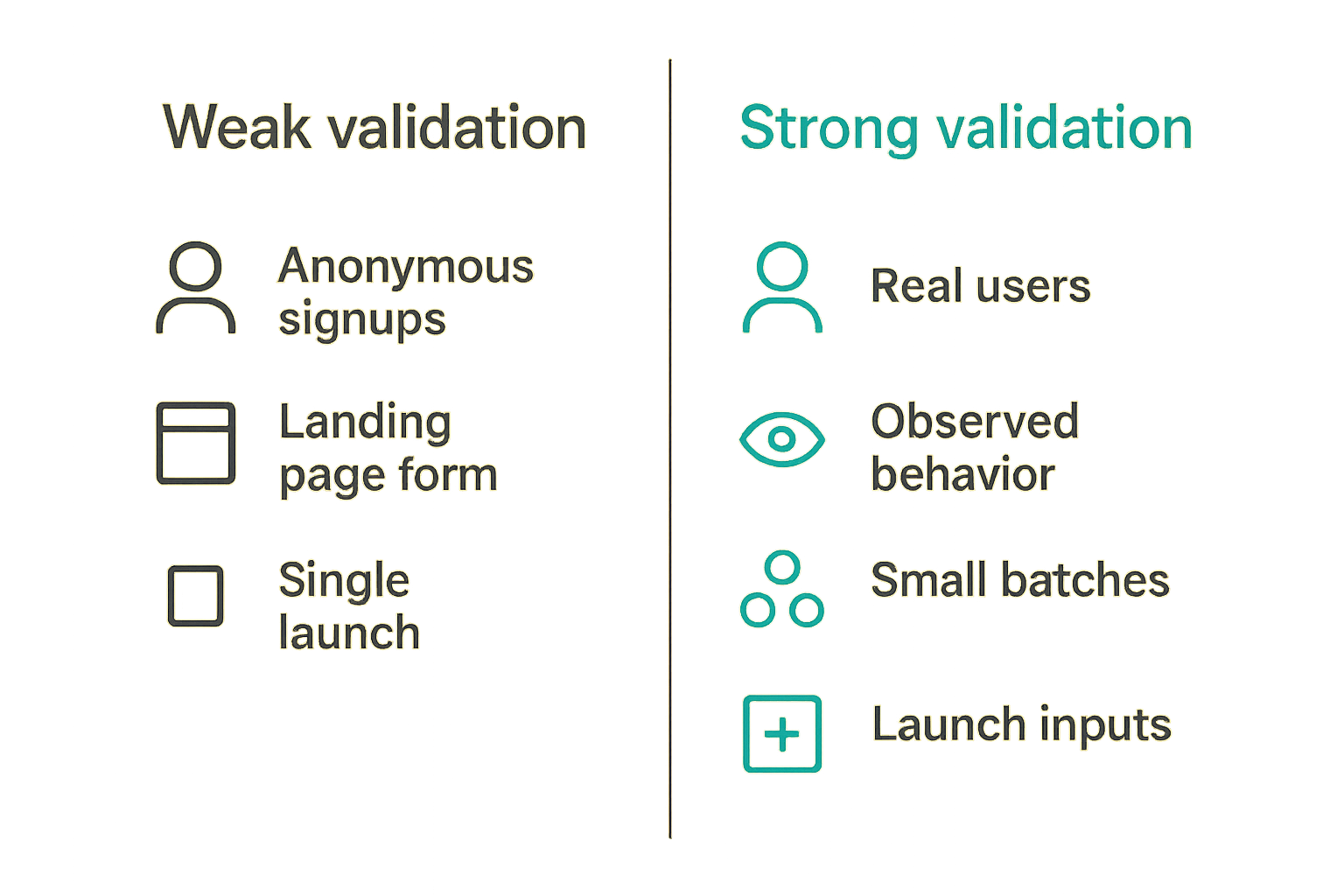
The practical question is not whether you validated the idea once. It is whether your launch has a validation loop that keeps working as more people arrive.
Validation is not a landing page with a signup form. It is a system for testing whether a specific audience has a specific pain, believes your promise, reaches value, and is willing to trade money, time, data, or political capital for the result.
Use small batches of real users
Start with small batches. Five to ten real users can uncover more launch risk than a thousand anonymous visitors if they match the target segment.
For each batch, track:
- Who they are.
- What pain triggered interest.
- Which message made them respond.
- Where they got stuck.
- Whether they reached first value.
- What they would replace if they kept using the product.
The mistake teams make is asking users whether they like the product. Like is cheap. Watch what users do when there is friction. Ask what happens if they do not solve the problem. Ask what they tried before. Ask who else is involved in the decision.
Turn conversations into launch inputs
Customer conversations should not live as scattered notes. Convert them into launch inputs:
- Objection bank: repeated reasons people hesitate.
- Proof bank: phrases users use after seeing value.
- Segment map: roles and use cases that respond differently.
- Onboarding fixes: setup steps that cause confusion.
- Pricing clues: language around budget, urgency, and alternatives.
This turns qualitative work into operational leverage. It also makes launch copy less performative. You stop inventing clever phrases and start using the language of the users who already feel the pain.
Related reading from our network: discoverability has the same compounding problem, and freelancing LLM crawlers is a useful adjacent read on making expertise legible to answer engines rather than hoping attention appears by accident.
Design the product state machine
A launch breaks when nobody knows what state a user is in. Visitor, signup, invited, activated, blocked, converted, churn risk, retained, advocate: these are not labels for a dashboard. They are operating states.
If you do not define them, your team will improvise. Marketing celebrates signups. Product worries about activation. Support sees repeated confusion. The founder feels momentum but cannot explain what is improving.
Map user states, not screens
Do not start with screens. Start with states.
A simple launch state machine might look like this:
unknown visitor -> interested visitor -> signup -> qualified lead -> activated user -> paying customer -> retained customer
For a self-serve tool, activation may be completion of a setup flow. For a B2B workflow tool, activation may be inviting a teammate or importing data. For a developer tool, activation may be a successful API call or deployed integration.
The exact state does not matter as much as the discipline. Every state needs an owner, a next action, and a measurable transition.
This is similar to how product teams should think about operational software in general. A prior sh1pt.com piece on inventory management software as an architecture decision makes the same point from another angle: before choosing features, map the state machine.
Instrument the transitions that matter
Instrument transitions, not everything. Event tracking should answer launch questions:
- Where do qualified users drop?
- Which channel brings activated users, not just visitors?
- Which onboarding step creates support tickets?
- Which segment converts without heavy handholding?
- Which objection predicts non-conversion?
A minimal event plan could be:
event: signup_created
properties: source, role, use_case

event: setup_completed
properties: time_to_complete, template_used, blockers

event: core_action_completed
properties: action_type, team_size, source

event: plan_started
properties: plan, price, trial_length
Do not overbuild analytics before launch. But do not launch blind either.
Practical rule: if a metric cannot change a launch decision, it does not belong on the launch dashboard.
Prepare the launch surface area
Your launch surface area is every place a user can form intent, get confused, ask a question, or decide to leave. Landing page, docs, onboarding emails, changelog, pricing page, demo, trial flow, support inbox, founder DMs, and community threads all count.
What breaks in practice is that these surfaces say different things. The homepage promises one outcome. The onboarding asks for unrelated setup. The pricing page introduces a new category. The docs assume too much. Support becomes the translation layer.
Your landing page is a routing layer
A launch landing page should route the right user to the right next action. It does not need to be long. It needs to be specific.
Include:
- The painful workflow in plain language.
- Who the product is for.
- The primary outcome.
- What happens after signup.
- One strong call to action.
- A fallback path for not-ready visitors.
Avoid:
- Multiple unrelated CTAs.
- Feature grids with no workflow context.
- Vague claims like save time or boost productivity.
- Social proof from users outside the target segment.
- Pricing surprises after signup.
Your onboarding must answer first-use friction
Onboarding is where positioning becomes operational. If the product promises a better workflow, onboarding must guide the user to that workflow quickly.
Ask:
- What must the user connect, import, create, or decide?
- What is the smallest action that proves value?
- Where does the user need examples instead of instructions?
- What can be delayed until after first value?
- What support question will appear in the first ten minutes?
A good launch does not eliminate friction. It places friction where it creates commitment and removes friction where it creates confusion.
Run the launch as an operating sequence
You do not need a massive launch plan. You need a sequence that lets you coordinate attention, product readiness, support, and learning.
The sequence matters because launches compress time. Problems that would normally appear over months show up in a few days. Without a runbook, the team reacts to the loudest input.
The seven-step launch workflow
Use this as a practical starting point:
- Define the launch thesis. State the audience, painful workflow, offer, primary conversion event, and decision you want to make after launch.
- Build the minimum launch surface. Landing page, onboarding path, support route, analytics events, and follow-up emails.
- Recruit a pre-launch cohort. Invite a small group that matches the segment and observe behavior directly.
- Fix the obvious blockers. Remove onboarding confusion, pricing ambiguity, and repeated objections before public traffic.
- Run a narrow public release. Use one or two channels where the target audience already spends attention.
- Triage daily. Review activation, support issues, objections, source quality, and conversion by segment.
- Decide the next move. Double down, reposition, narrow the ICP, change pricing, fix onboarding, or pause expansion.
This is not glamorous, but it works because it treats launch as controlled exposure.
What to automate and what to keep manual
Automate the parts that need consistency:
- Signup confirmations.
- Onboarding reminders.
- Event capture.
- Support routing.
- Demo scheduling.
- Payment receipts.
Keep manual the parts where learning is still high:
- Early sales calls.
- Objection handling.
- High-intent user follow-up.
- Churn interviews.
- Enterprise or team workflow discovery.
The mistake teams make is automating before they understand the pattern. Manual work is not always inefficiency. During launch, it is instrumentation.
Measure the launch without lying to yourself
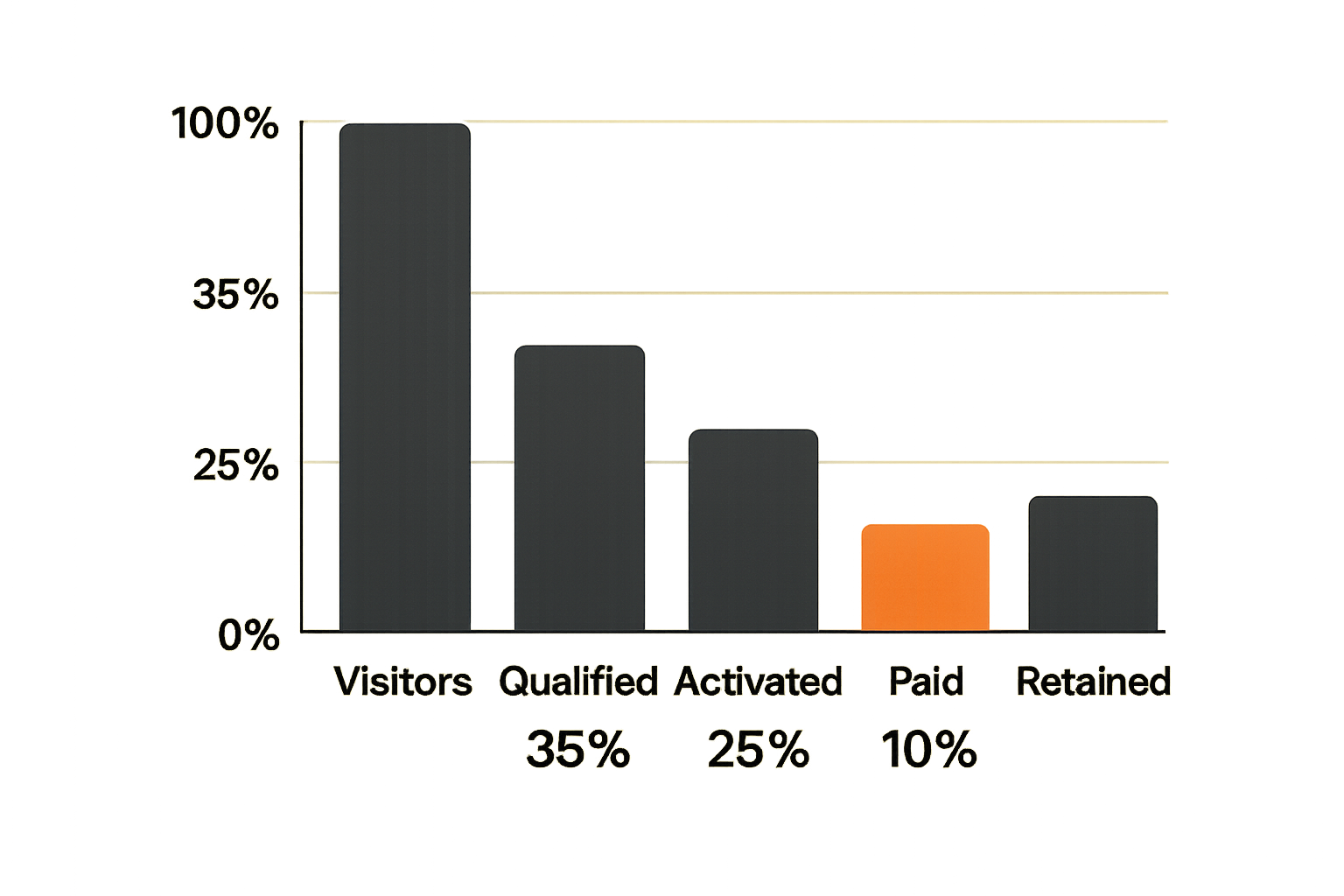
Launch metrics are dangerous because they make motion look like progress. A spike feels real. Mentions feel real. A busy inbox feels real. Some of it is real. Much of it is atmospheric.
The practical question is which metrics improve your next decision.
Use a launch dashboard, not a feelings report
Your launch dashboard should be small enough to read every day. A useful version might include:
- Visitors by source.
- Signup conversion by source.
- Qualified signup percentage.
- Activation rate.
- Time to first value.
- Support tickets by category.
- Paid conversion or demo conversion.
- Retention signal after seven or fourteen days.
Do not average everything together. Segment by source and use case. A channel that sends fewer users who activate is more valuable than a channel that sends a crowd that bounces.
Read qualitative feedback like production logs
Qualitative feedback is not a pile of opinions. Treat it like logs from the market.
Tag feedback by:
- Segment.
- Workflow pain.
- Objection.
- Missing capability.
- Setup blocker.
- Pricing concern.
- Emotional language.
Then look for clusters. One loud user is not a roadmap. Five similar complaints from your target segment deserve attention. Ten feature requests from non-target users may be noise.
Related reading from our network: community-led products face a comparable trust and operations challenge, and community building crypto as payment architecture is a useful adjacent example of designing incentives, settlement, and support rather than treating the community as a slogan.
Common failure modes in software product launches
Failure usually does not come from one dramatic mistake. It comes from mismatched assumptions. The product is built for one user, the copy speaks to another, the channel attracts a third, and the pricing filters for a fourth.
A launch makes those mismatches visible.
What breaks when teams launch too broad
Broad launches create broad feedback. That sounds helpful until you try to act on it.
What fails:
- The homepage becomes generic.
- The roadmap fills with unrelated feature requests.
- Support cannot tell who is worth saving.
- Pricing conversations lack context.
- The team confuses curiosity with demand.
What works:
- Pick one beachhead segment.
- Write the page for that segment.
- Choose channels where that segment already talks.
- Qualify signups with one or two useful questions.
- Say no to attractive but distracting use cases.
Practical rule: if you cannot reject a bad-fit user during launch, you have not defined a good-fit user clearly enough.
What breaks when teams ignore support
Support is part of the launch system, not an afterthought. During launch, support tells you where the product promise is failing to survive first contact.
Common support failures:
- No single place for issues.
- Founder DMs become the hidden ticket system.
- Bugs and objections are mixed together.
- Users get different answers depending on who replies.
- No one updates the product or copy after repeated questions.
Fix this with a simple triage loop:
- Bug: product does not behave as expected.
- Confusion: product works but the user does not understand what to do.
- Objection: user understands but does not believe the value or fit.
- Request: user wants the product to support another workflow.
Each category has a different response. Do not treat them all as roadmap input.
Where sh1pt.com fits into the launch workflow
sh1pt.com is written for people building and launching software products who want to understand shipping strategies, product development processes, and growth tactics. The useful role for a site like this is not hype. It is operating clarity.
If you are figuring out how to launch a software product, you need more than a checklist. You need examples of how founders define scope, choose channels, handle feedback, and decide what to ship next.
Use launch content as an operating artifact
Launch content should help the team operate. A launch memo, changelog, build-in-public post, or teardown should clarify the system:
- Who is this for?
- What changed?
- Why now?
- What should users do next?
- What are we trying to learn?
- What will we do after the data arrives?
This is also why community matters, but only when it is tied to the product workflow. If you are using audience or community as part of the launch loop, the sh1pt.com guide to community building software development is a useful companion because it treats community as a shipping system, not a broadcast channel.
Closing the loop after launch
The launch is not over when the announcement traffic fades. It is over when you have made the next operating decision.
That decision might be:
- Narrow the ICP.
- Rewrite positioning.
- Change the onboarding path.
- Add a missing integration.
- Increase price.
- Move from founder-led sales to self-serve.
- Kill the product or pivot the workflow.
A useful post-launch review asks:
- What did we believe before launch?
- What did users actually do?
- Which segment showed the strongest pull?
- Which channel produced activated users?
- Which objections repeated?
- Which product changes would increase conversion fastest?
- What should we not do next?
This is the operator view of how to launch a software product. Launch is not a single date. It is a controlled learning system that turns market contact into product decisions.
Try sh1pt.com
sh1pt.com is for people building and launching software products who want practical shipping strategies, product development processes, and growth tactics. Try sh1pt.com.