
A product line looks simple from the outside. You have one product that works, a few adjacent ideas, and customers asking for more. The obvious move is to ship the next thing and put it beside the first thing.
That is where teams get into trouble.
Teams think the problem is deciding which products belong in the product line. The real problem is designing the operating system that lets multiple products share customers, capabilities, positioning, support, and revenue without confusing everyone involved.
In 2026, this matters because software products are easier to build and harder to differentiate. AI tools, templates, no-code stacks, and distribution platforms reduce build time. They do not reduce the operational cost of maintaining multiple promises to the market. The practical question is not whether you can add another product. The practical question is whether your product line can be understood, sold, supported, measured, and improved without turning your team into a coordination machine.
This article treats product line strategy as an architecture and workflow problem. Not a definition. Not a naming exercise. The mistake teams make is treating a product line like a catalog. A useful way to think about it is as a portfolio of customer promises connected by shared infrastructure and deliberate boundaries.
Table of contents
- Why a product line is an operating system, not a catalog
- Product line strategy starts with customer jobs
- Map the product line architecture before you add features
- Pricing, packaging, and positioning must move together
- The product line roadmap is a portfolio workflow
- Launching a product line without confusing the market
- Metrics that tell you whether the product line is healthy
- Common product line failure modes
- Product line governance for small teams
- Where sh1pt.com fits into product line thinking
Why a product line is an operating system, not a catalog
A catalog is a list. A product line is a set of decisions that compound.
When you add a second product, you create new questions. Does it use the same login? Does it share billing? Does the same buyer understand it? Does support know which plan includes which capability? Does the homepage explain the new shape of the company? Does one roadmap now slow down another?
That changes the conversation. The product line is no longer just product management. It touches go-to-market, onboarding, analytics, naming, pricing, customer success, documentation, and internal planning.
The catalog view creates false confidence
The catalog view says: we have Product A, Product B, and Product C. Each has a landing page. Each has features. Done.
What breaks in practice is everything between those landing pages:
- Customers do not know which product to buy first.
- Existing users ask why a feature is a separate product.
- New users assume the products work together when they do not.
- The roadmap becomes a negotiation between loud customer requests.
- Support tickets increase because packaging logic is not obvious.
- Marketing writes separate messages that do not ladder up to one market position.
The catalog view feels organized because it is easy to draw. It fails because it does not describe how customers move.
Practical rule: if you cannot explain the path from one product to another in one paragraph, you do not have a product line strategy. You have adjacent SKUs.
The operating view changes ownership
The operating view asks different questions:
- What customer job anchors the line?
- What products solve which stage of that job?
- What capabilities are shared across the line?
- What boundaries are intentionally separate?
- What upgrade, attach, or migration motion connects them?
- What metrics prove the line is healthier than a single product?
This is where founders and PMs need to slow down. A product line can be a growth lever, but it can also be a tax. Every additional product increases surface area. The win comes when the surface area creates more customer value than operational complexity.
Product line strategy starts with customer jobs
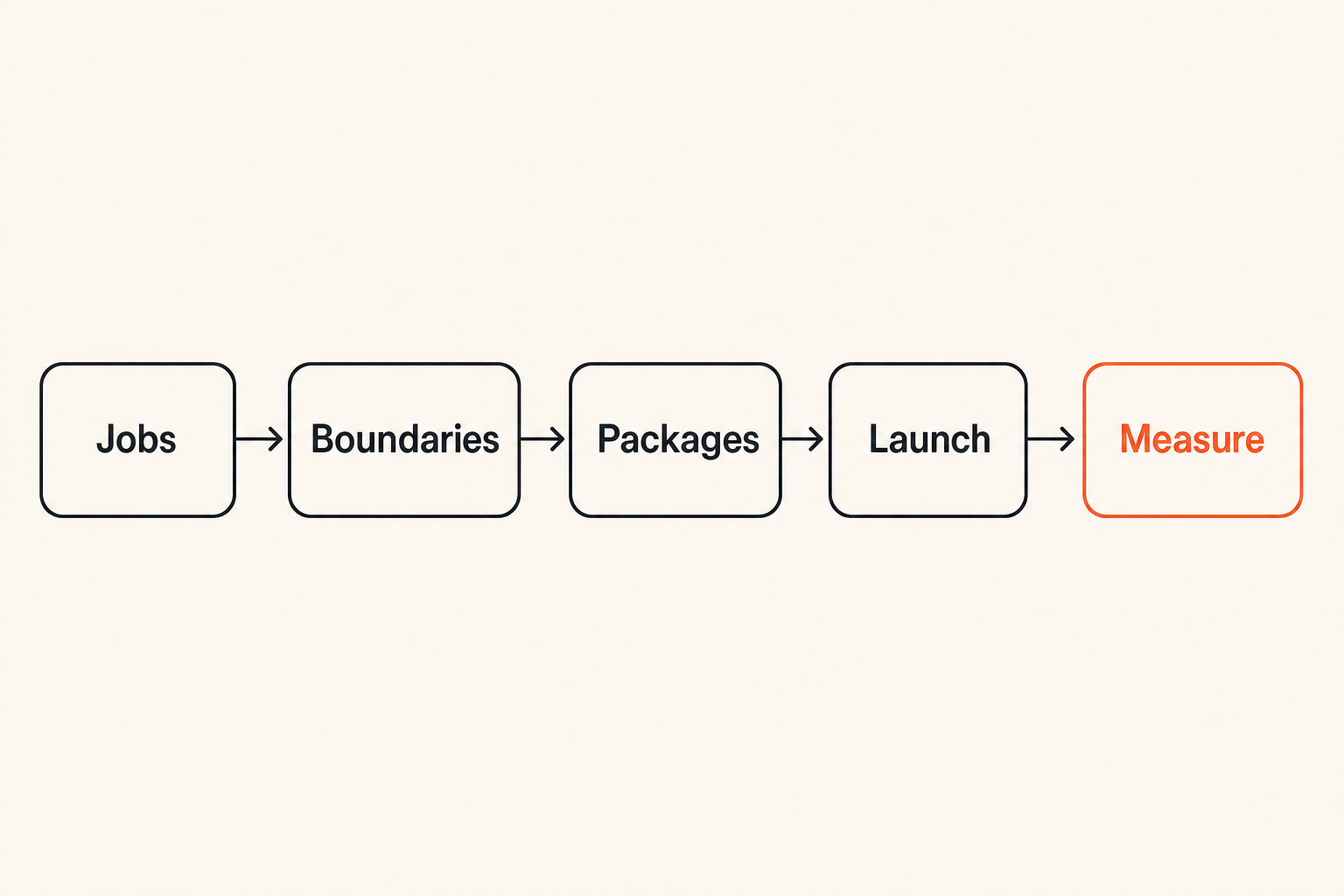
Most weak product lines start with internal logic. We already built a dashboard. We can add reporting. Users asked for automation. Competitors have an enterprise module. None of that is useless, but it is not enough.
The practical question is: which customer workflow are you becoming responsible for?
If you sell software to creators, maybe the line follows the path from idea capture to launch planning to analytics. If you sell developer tools, maybe it follows the path from local build to deploy to observability. If you sell operations software, maybe it follows intake, routing, approval, and reporting.
Segment by workflow, not persona
Personas are often too broad for product line decisions. Founder, marketer, developer, and operator are not precise enough. The same founder may buy a lightweight planning tool for one job and a more advanced analytics product for another.
Segment by workflow instead:
- What is the user trying to get done?
- What triggers the need?
- What data or asset moves through the workflow?
- Who needs visibility or approval?
- What breaks if the workflow is incomplete?
This is especially important for indie hackers and solopreneurs because you cannot afford a product line that requires enterprise-level coordination. The line should reduce customer decision cost, not add it.
For adjacent thinking on how to learn from examples without blindly copying them, the sh1pt.com guide on using product examples as a practical system is useful because product line work often starts with teardown discipline.
Define the promise of each line
Every product in the line needs a clear promise. Not just a feature set. A promise.
A weak promise sounds like this:
- Advanced dashboard for teams.
- AI assistant for productivity.
- Collaboration module.
A stronger promise sounds like this:
- Turn launch tasks into an accountable weekly shipping plan.
- Convert customer feedback into prioritized roadmap decisions.
- Give managers visibility into blocked work without another status meeting.
The promise tells customers why the product exists. It also tells your team what not to build.
Practical rule: each product in the line should have one primary job, one primary buyer or user, and one primary success moment. If you need five success moments, you probably have more than one product hiding inside the package.
Map the product line architecture before you add features
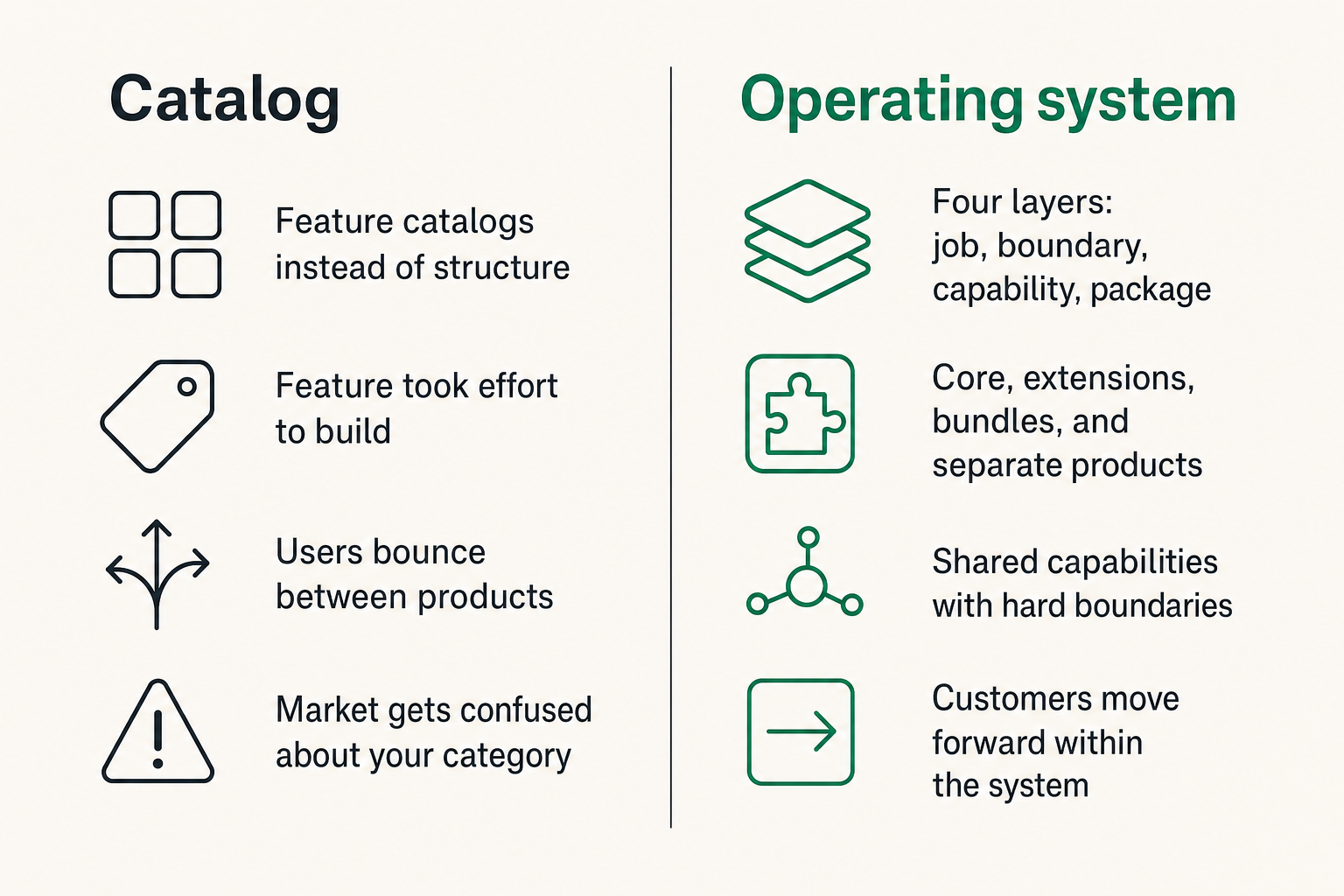
Architecture sounds heavy for a small team, but it does not have to mean enterprise diagrams. It means making the structure visible before the roadmap makes it expensive.
A useful way to think about it is to draw four layers: customer job, product boundary, shared capability, and commercial package. Most product line confusion happens when those layers are mixed together.
Core, extensions, bundles, and separate products
Not every adjacent idea deserves to be a separate product. You usually have four options.
| Option | Best when | Risk if used badly |
|---|---|---|
| Core feature | The capability is required by most users | Core product becomes bloated |
| Extension | A subset needs deeper workflow support | Users see it as paywalling basics |
| Bundle | Products are bought together for one outcome | Bundle hides weak product-market fit |
| Separate product | The buyer, workflow, or success metric differs | Market gets confused about your category |
The mistake teams make is promoting features into products because the feature took effort to build. Effort is not a packaging strategy. Customer decision logic is.
Shared capabilities and hard boundaries
A product line needs shared capabilities where consistency matters:
- Identity and permissions.
- Billing and entitlement.
- Account settings.
- Notifications.
- Data import and export.
- Documentation patterns.
- Analytics events.
It also needs hard boundaries where separation matters:
- Different data models.
- Different buyer expectations.
- Different onboarding paths.
- Different compliance or support requirements.
- Different pricing logic.
The hard part is choosing what to share. Share too little and you duplicate operations. Share too much and every product becomes constrained by the slowest shared dependency.
The decision table
Before adding a product, use a simple decision table. You do not need a committee. You need consistent questions.
| Question | Add to core | Extension | Separate product |
|---|---|---|---|
| Needed by most current users? | High | Medium | Low |
| New buyer involved? | Low | Medium | High |
| Different success metric? | Low | Medium | High |
| Requires unique onboarding? | Low | Medium | High |
| Can be sold alone? | Low | Medium | High |
| Shares data with existing product? | High | High | Medium |
This table will not make the decision for you. It will expose the tradeoff. That is the point.
Pricing, packaging, and positioning must move together
A product line is not real until the customer can understand how to buy it.
Many teams treat pricing as a spreadsheet exercise after the roadmap is mostly done. That creates awkward products: valuable enough to market, not distinct enough to price, and too important to give away. Then the team invents confusing tiers to cover the gap.
Packages encode your roadmap
Packaging is a roadmap signal. If you put a capability into the core plan, you are saying it belongs to the main product promise. If you sell it as an add-on, you are saying it solves a deeper or narrower job. If you create a standalone product, you are saying it can carry its own adoption, retention, and support motion.
The packaging decision should happen early because it changes implementation:
- Entitlements need to be modeled.
- Trial behavior needs to be defined.
- Upgrade prompts need to be placed in the product.
- Analytics must distinguish use, attach, and conversion.
- Support needs a clear answer when customers ask why something costs more.
Related reading from our network: small businesses choosing productivity software face similar workflow and integration tradeoffs, which is a useful parallel when thinking about how buyers evaluate a product line.
Positioning prevents cannibalization
Cannibalization is not always bad. Sometimes a new product should replace old revenue because it creates a better long-term path. The problem is unmanaged cannibalization.
If two products appear to solve the same job, customers will pick the cheaper one, delay the decision, or ask support to explain the difference. Positioning has to make the distinction obvious.
A simple positioning pattern:
- Product A is for starting the workflow.
- Product B is for scaling the workflow.
- Product C is for governing the workflow.
Or:
- Product A helps individuals ship.
- Product B helps teams coordinate.
- Product C helps leaders measure.
That structure is not clever. It is useful. Clever naming cannot compensate for unclear product relationships.
What works and what fails
What works:
- Clear upgrade paths.
- Add-ons tied to advanced jobs.
- Bundles built around an outcome.
- Pricing pages that explain who each product is for.
- In-product prompts that appear at the moment of need.
What fails:
- Feature gates that feel arbitrary.
- Multiple products with the same promise.
- Enterprise tiers used as a junk drawer.
- Launch pages that explain features but not buying logic.
- Discounts used to hide packaging confusion.
Practical rule: pricing should make the product line easier to understand. If the pricing page requires a sales call for basic comprehension, the architecture is probably unclear.
The product line roadmap is a portfolio workflow
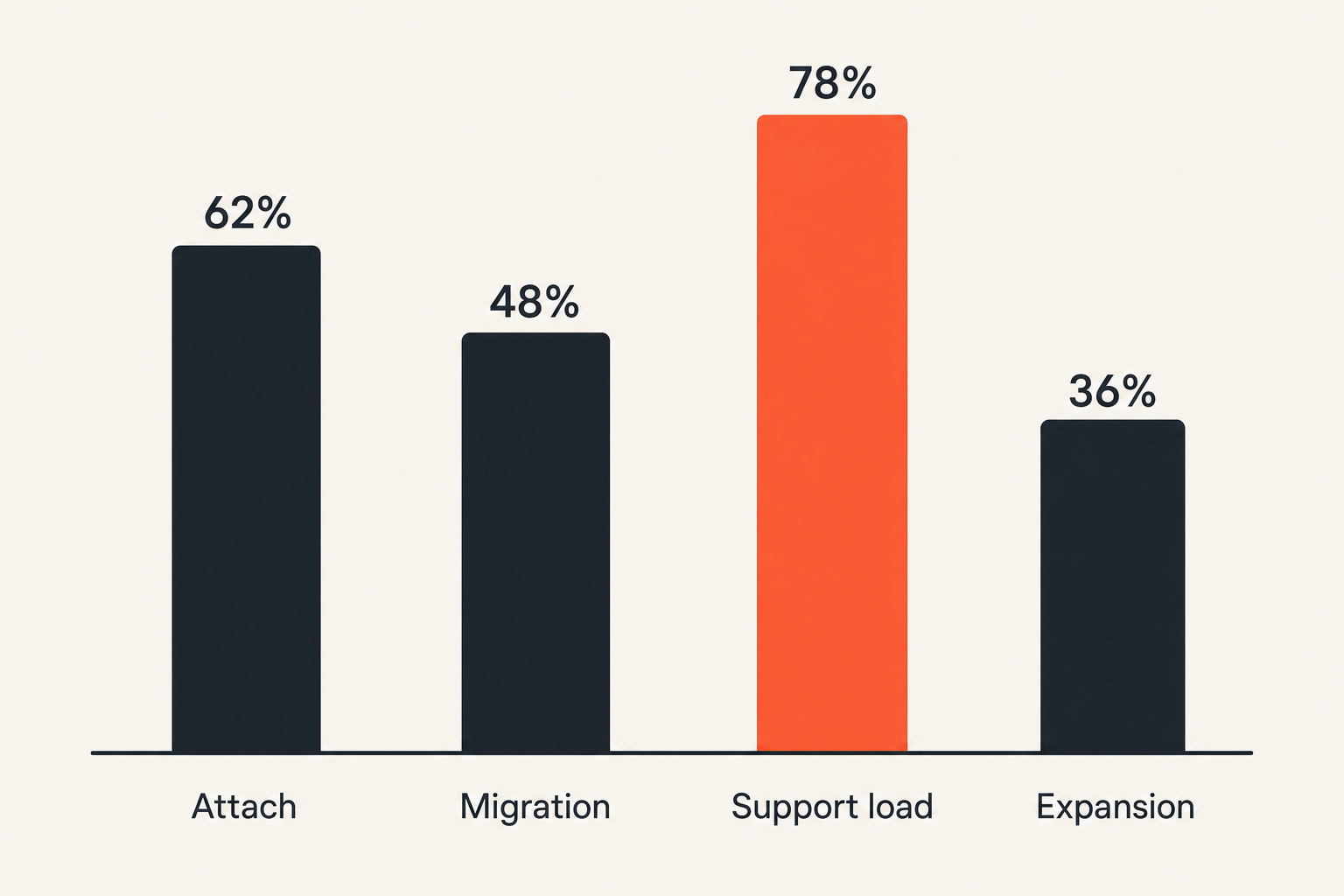
A single-product roadmap can be messy and still survive. A product line roadmap needs portfolio discipline because every decision has opportunity cost across products.
The practical question is not what should we build next. It is which product line outcome needs investment now.
Balance bets, maintenance, and expansion
A healthy product line roadmap usually contains three types of work:
- Bets: new products, new modules, or new customer jobs.
- Maintenance: reliability, UX cleanup, onboarding, billing, documentation, and support reduction.
- Expansion: deeper capability for products already showing traction.
Many founders overfund bets because new products feel like growth. Then the existing product line becomes brittle. Customers feel it first: slow onboarding, inconsistent UI, confusing permissions, and support answers that depend on who replies.
Use gates instead of vibes
Do not let every idea become a product line candidate. Use gates.
A practical set of gates:
- Customer evidence: repeated workflow pain, not one loud request.
- Strategic fit: strengthens the main market position.
- Commercial path: can be priced, bundled, or used to expand accounts.
- Operational fit: support and documentation are realistic.
- Technical fit: shared infrastructure can support it.
- Launch fit: the message can be explained without a diagram.
The go-to-market side matters here. If you are connecting product decisions to channels and launch motion, the sh1pt.com operating-system view of go to market strategy maps well to product line planning.
A numbered implementation sequence
Use this sequence before you commit to the next product in the line:
- Write the customer job in one sentence.
- List the current product promises that overlap with it.
- Decide whether the idea is core, extension, bundle, or separate product.
- Define the buyer, user, trigger, and success moment.
- Map shared capabilities: login, billing, data, permissions, analytics.
- Draft the pricing and packaging before the build plan is final.
- Create the migration or attach path from existing products.
- Write the launch narrative: why this product exists now.
- Instrument events for activation, attach, retention, and support load.
- Run a post-launch review after real usage, not after announcement traffic.
This sequence is intentionally boring. Boring workflows prevent expensive cleanup.
Launching a product line without confusing the market
Launching one product is already coordination work. Launching a product line adds another layer: you are not only announcing a thing, you are changing how the market understands your company.
The mistake teams make is launching each product as if it exists alone. That creates fragmented demand. Each launch might perform fine in isolation, but the overall story gets weaker.
Launch the relationship between products
When you launch a new product in the line, explain three things:
- What job this product solves.
- How it relates to the existing product.
- What customers should do next.
A weak launch says: we built a new analytics module.
A stronger launch says: teams already use us to plan launches; now they can see which launch tasks actually drive signups, so planning and measurement live in the same workflow.
That second version connects the line. It gives existing users a reason to care and new buyers a reason to understand the broader platform.
Sales and support scripts matter
Even if you do not have a sales team, you have sales moments. Pricing page copy, onboarding emails, docs, changelogs, support replies, demo videos, and founder calls all teach the market how to interpret the product line.
Create simple scripts:
- If a customer asks for X, recommend Product A.
- If they already use A and need Y, recommend Product B.
- If they are comparing A and B, explain the workflow stage difference.
- If they are unhappy about packaging, explain the boundary and offer a migration path.
This is where product marketing becomes operational, not cosmetic. The sh1pt.com article on the product marketing manager as an operator role is relevant because product lines need someone connecting shipping, positioning, and demand.
Metrics that tell you whether the product line is healthy
A product line can look healthy while hiding problems. Revenue can grow while support load grows faster. Adoption can rise while customers become less clear about what to buy. More products can create more demos but lower conversion.
You need metrics that show whether the line is compounding or fragmenting.
Adoption is not enough
Adoption tells you that people tried something. It does not tell you whether the product line makes sense.
For example, a new add-on may get strong trial usage because it is heavily promoted inside the core product. But if few accounts retain it, the add-on may be curiosity, not value. A standalone product may get launch signups but fail to attach to the existing customer base because the workflow bridge is weak.
Track adoption, but do not worship it.
Track overlap, attach, and migration
Useful product line metrics include:
- Attach rate: percentage of customers using Product A who adopt Product B.
- Cross-sell conversion: percentage of qualified accounts that buy another product.
- Migration rate: percentage moving from old package to new package successfully.
- Overlap rate: percentage using two products for the same job.
- Expansion revenue: revenue from additional products or packages.
- Time to second value: how long it takes a customer to get value from the next product.
The most important metric depends on the strategy. If your product line is built around expansion, attach rate matters. If it is built around market segmentation, standalone activation may matter more. If it is built around replacing old packaging, migration success is critical.
Watch support load
Support load is an underrated product line metric. Confusing product lines create tickets before they create churn.
Watch for:
- Which product should I use questions.
- Why is this not included questions.
- I thought these products synced questions.
- Permission and billing confusion.
- Duplicate setup work across products.
- Customers asking for discounts because value is unclear.
Support tickets are product architecture feedback. Treat them that way.
Common product line failure modes
Most product line failures are not dramatic. They are slow. The team keeps shipping, but every launch adds more explanation work. Eventually the company has many products and no simple story.
What breaks in practice is not only the codebase. It is the operating rhythm.
Feature sprawl disguised as strategy
Feature sprawl happens when every adjacent request becomes a roadmap candidate. The product line expands horizontally but not strategically.
Signs of sprawl:
- Products are named by feature category instead of customer outcome.
- The same user must configure the same settings in multiple places.
- The roadmap has many small additions and few clear bets.
- The pricing page grows more rows than the customer can parse.
- Launches get quieter because each new thing feels incremental.
The fix is to return to the customer job. If the new feature does not strengthen a product promise or create a clear new promise, it probably does not belong in the line yet.
Cannibalization without migration design
A new product may overlap with an old one. That is fine if you design the migration.
Bad migration looks like this:
- Existing customers discover the new product from a public launch.
- They ask whether they are on the wrong plan.
- Support gives manual exceptions.
- Revenue reporting becomes messy.
- The team avoids pushing the better product because it may reduce short-term revenue.
Good migration looks like this:
- The team identifies affected customers before launch.
- Pricing logic is clear.
- Upgrade, downgrade, and grandfathering rules are written down.
- In-product messaging explains the change.
- Metrics track successful movement, not just new sales.
Tooling drift and duplicated operations
Product lines create tooling drift when each product team or founder mode creates its own stack. Different analytics events, docs structures, onboarding checklists, billing rules, and support macros seem harmless at first. Later they make the product line hard to operate.
For small teams, the answer is not bureaucracy. It is shared defaults.
Examples:
- One event naming convention.
- One entitlement model.
- One onboarding checklist format.
- One product brief template.
- One launch review format.
- One support taxonomy for packaging confusion.
Related reading from our network: remote collaboration handoffs have similar control and permission failure modes, even though the domain is different. Product lines also break when ownership and handoff rules are vague.
Product line governance for small teams
Governance sounds like something large companies invent after they stop shipping. That is not the version you want.
For an indie hacker, startup founder, solopreneur, or lean product team, governance means lightweight rules that prevent accidental complexity.
Assign owners for interfaces
The most important ownership is not always per product. It is often per interface between products.
Someone needs to own:
- The pricing boundary.
- The onboarding path.
- The shared data model.
- The upgrade prompt.
- The account settings experience.
- The product line story on the website.
- The analytics definitions.
Interfaces are where product lines fail. Each product can look good alone while the connection between products is broken.
Practical rule: assign ownership to the seams. Customers experience the product line through transitions, not org charts.
Keep the review lightweight
A useful product line review can be short. Run it monthly or before any major launch.
Ask:
- Did we add complexity this month?
- Did we remove any complexity?
- Which product promise became clearer?
- Which product promise became fuzzier?
- Are support tickets showing packaging confusion?
- Did attach, migration, or expansion improve?
- Are we building shared capabilities or duplicating them?
This review should create decisions, not theater. If nothing changes after the review, stop doing it or make it sharper.
Adjacent workflow lessons
Product line operators can learn from other operational systems. Payments teams, for example, understand that the UI is only the visible layer; state, settlement, retries, and reconciliation do the real work. Related reading from our network: crypto checkout architecture for high-risk merchants is a different domain, but the same lesson applies. The customer-facing surface is not the whole system.
For product lines, the visible surface is naming, pricing, and landing pages. The real work is state: entitlements, customer movement, support logic, roadmap allocation, and measurement.
Where sh1pt.com fits into product line thinking
sh1pt.com is for people building and launching software products who want practical ways to move from idea to market. Product line strategy sits directly inside that work because shipping more things only helps if the system around shipping gets better.
The goal is not to make every founder act like a large-company portfolio manager. The goal is to give small teams enough structure to avoid predictable mistakes.
Use shipping content as decision infrastructure
A product line creates recurring decisions:
- Should this be a feature or product?
- Should we bundle or separate it?
- How do we launch without fragmenting the story?
- Which metrics prove the line is working?
- What do we do with customers on the old package?
- Who owns the seam between products?
Content, templates, teardown essays, and operator guides are useful when they help you make those decisions faster. That is the lens sh1pt.com uses: practical shipping strategy, not abstract product theory.
When sh1pt.com is a good fit
sh1pt.com is a good fit if you are:
- Turning one software product into a broader product line.
- Deciding whether an idea is a feature, add-on, bundle, or separate product.
- Planning a launch that needs a clearer market story.
- Trying to connect roadmap choices to demand.
- Cleaning up confusing packaging before it becomes support debt.
The product line decision is never only about the next product. It is about whether each new product makes the whole business easier or harder to understand. In 2026, that clarity is a real advantage because customers have more options and less patience for confusing software.
Try sh1pt.com
sh1pt.com is for people building and launching software products who want to understand shipping strategies, product development processes, and growth tactics.
If you are designing a product line and want more practical shipping frameworks, Try sh1pt.com.