
Shipping software faster sounds like an engineering problem until you watch a small team miss the window again.
The code is almost done. The landing page is almost ready. The onboarding copy is almost clear. A customer asked for the thing three weeks ago, but the team is still debating whether the first version should include billing, team invites, a settings screen, export, and three integrations.
Teams think the problem is coding speed. The real problem is decision speed.
That changes the conversation. Shipping software faster is not about pushing developers harder or pretending quality does not matter. It is about designing a workflow where scope, release paths, feedback, ownership, and support are clear enough that the team can move without re-litigating every decision.
Table of contents
- Shipping software faster is a systems problem
- Define the smallest shippable decision
- Design a release architecture before writing code
- Build the shipping loop
- Automate the boring parts without automating judgment
- Cut scope without cutting the promise
- Instrument the product for faster learning
- Failure modes that slow teams down
- A 30 day operating model for shipping software faster
- Where sh1pt.com fits in your shipping system
Shipping software faster is a systems problem
Speed is not the same as motion
Many teams are busy and still slow. They close tickets, redesign screens, refactor components, run standups, and update roadmaps. None of that guarantees the product reaches a user who can judge it.
The mistake teams make is measuring internal activity as if it were market progress. A merged pull request is not a shipped product. A shipped product is a usable change in front of a real person, with enough context to know whether it helped.
A useful way to think about it is this: shipping speed is the time between a validated decision and a learning event. If you cannot say what decision you are testing, you are probably just producing software inventory.
Practical rule: If a release cannot produce a clear decision within two weeks, split it until it can.
The bottleneck is usually decision latency
Decision latency shows up as harmless language. We need to align. Let us revisit after the prototype. We should make it flexible. Maybe we should wait until billing is done. These sentences sound responsible, but they often hide the real problem: nobody has defined what is allowed to be small.
For indie hackers and solopreneurs, decision latency often happens inside one head. You start coding, then pause because the positioning feels wrong. You write copy, then pause because the onboarding flow is not built. You build onboarding, then pause because pricing is not settled.
The practical question is not how to work more hours. It is how to reduce the number of unresolved decisions attached to each release.
Why 2026 changes the workflow
In 2026, the tooling is faster. AI coding assistants, hosted databases, payment platforms, analytics tools, and no-code glue can compress build time dramatically. That helps, but it also exposes weak product operations.
When implementation gets cheaper, bad decisions travel faster. Teams can now build the wrong thing with impressive velocity.
Shipping software faster therefore requires an operating system, not just better tooling. You need a way to decide what matters, release it safely, observe behavior, and turn what you learn into the next small release.
Define the smallest shippable decision
Start with the user state change
Before you write tickets, define the user state change. Not the feature. Not the component. The state change.
Weak version: build saved searches.
Better version: a user can save one search and return to it tomorrow without rebuilding the filters.
The second version is smaller and more testable. It tells engineering what must happen. It tells product what behavior to watch. It tells support what the user expected. It also prevents the scope from quietly expanding into folders, sharing, alerts, history, and team permissions.
If you want a broader launch workflow around validation, positioning, release ops, and iteration, the practical companion is how to launch a software product, but the same rule applies at the feature level: every release needs one primary state change.
Use scope locks instead of feature lists
Feature lists invite negotiation. Scope locks create boundaries.
A scope lock is a short statement of what the release will not do. For example:
- Users can create one saved search, not multiple named collections.
- Saved searches are private, not shared with a team.
- Alerts are excluded.
- Import and export are excluded.
- The success metric is return usage within seven days.
This does not mean those features are bad. It means they are not required to answer the current decision.
Practical rule: Write the out-of-scope list before the in-scope list. It will save more time than another planning meeting.
Write rejection criteria early
Teams define acceptance criteria. Fewer define rejection criteria.
Rejection criteria answer the uncomfortable question: what would make us stop, revert, or change direction? Examples:
- Fewer than five target users understand the feature without a demo.
- More than 20 percent of test users hit the same blocker during setup.
- The workflow requires manual support for every activation.
- The feature increases support load without increasing activation.
This is not pessimism. It is operational clarity. If you know what failure looks like, you can ship smaller because you are not pretending the first version must be perfect.
Design a release architecture before writing code
Separate product risk from engineering risk
A release has at least two kinds of risk.
Product risk asks whether users care, understand, adopt, and pay. Engineering risk asks whether the system behaves correctly under real conditions.
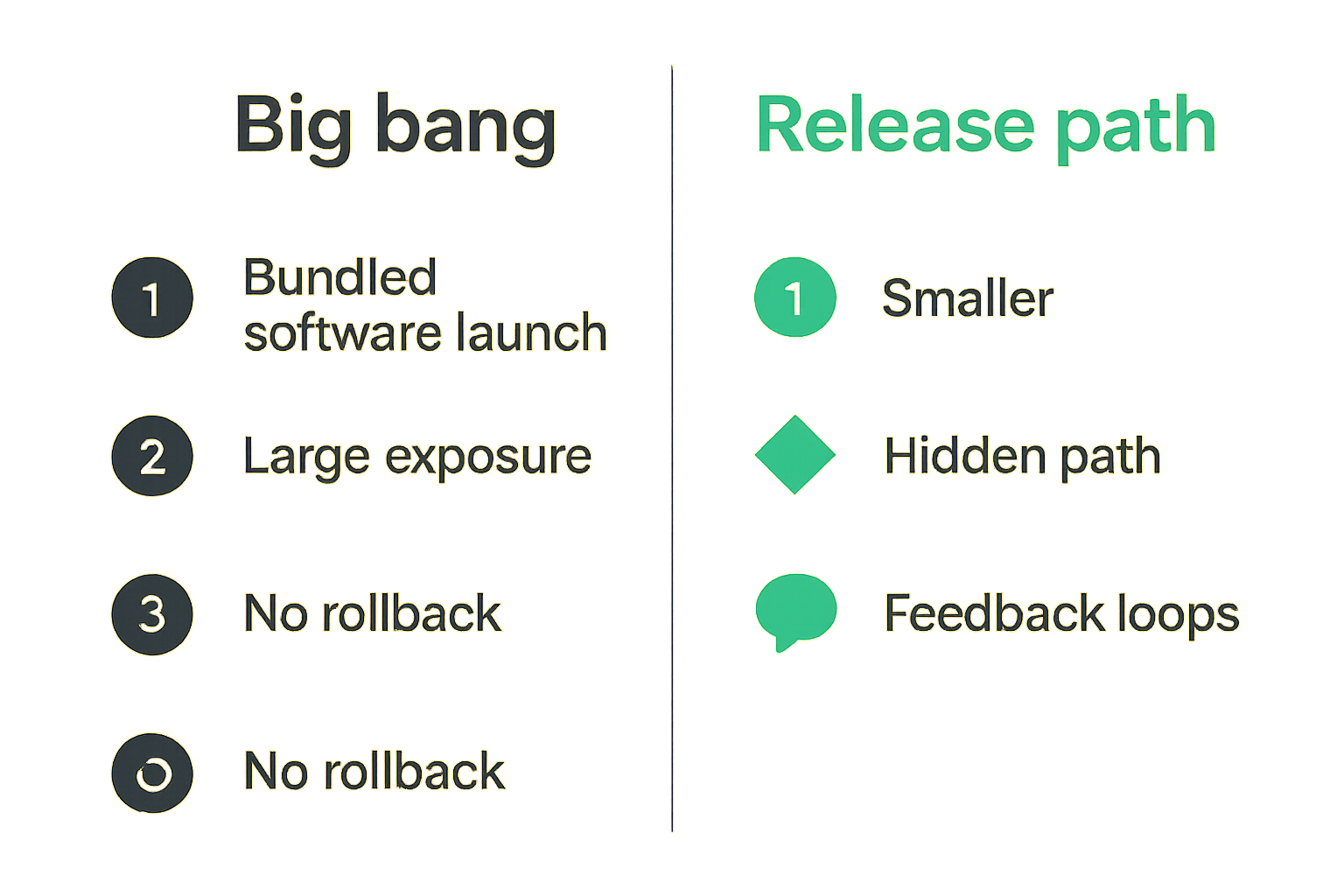
The mistake teams make is mixing these risks into one giant release. They launch a new workflow, new billing rules, new infrastructure, new onboarding, and new messaging at the same time. When something breaks, nobody knows whether the idea was wrong or the implementation was unstable.
Separate the risks where possible. Test demand with a concierge step. Test infrastructure with a hidden path. Test copy before the full workflow exists. Test workflow with a small customer group before the public launch.
Related reading from our network: security teams face a similar workflow problem when they connect trust, escalation, and action in community building incident response. The domain is different, but the operating lesson is the same: speed improves when ownership and response paths are designed before the incident.
Choose the right release path
Not every change deserves the same launch motion. Picking the wrong release path creates either unnecessary ceremony or unnecessary risk.
| Release path | Best for | What works | What breaks in practice |
|---|---|---|---|
| Private prototype | Unclear demand | Fast conversations with known users | Teams mistake polite feedback for demand |
| Feature flag | Risky behavior change | Controlled exposure and rollback | Flags pile up without owners |
| Public beta | Broad usability learning | Clear expectation setting | Beta becomes a permanent excuse |
| Full launch | Proven workflow and message | Distribution, sales, and support alignment | Launch exposes unresolved product questions |
The practical question is: what is the smallest audience that can produce the next useful answer?
Make rollback boring
Rollback should not be a dramatic event. It should be part of the release design.
For small products, rollback can be simple:
- Keep the old path available for a defined period.
- Put risky features behind a flag.
- Avoid irreversible migrations unless necessary.
- Snapshot critical user data before changing workflows.
- Document who can disable the release and under what condition.
If rollback feels embarrassing, teams delay releases. If rollback is normal, teams ship earlier because the blast radius is controlled.
Practical rule: Never ship a risky workflow without a named rollback owner and a rollback trigger.
Build the shipping loop
Capture demand before build work
Shipping faster starts before code. Demand capture is the lightweight process of collecting evidence that a specific user segment wants a specific outcome.
That evidence can be messy. It might be customer emails, sales calls, failed workarounds, support tickets, waitlist replies, search queries, or manual service requests. You do not need a perfect research program. You need enough signal to avoid building from imagination.
For solopreneurs, this often means selling the promise before automating the system. For founders coming from services, the transition is especially tricky because custom work can disguise itself as product demand. If that is your path, freelancing product launch is adjacent because it frames the launch as an operator workflow rather than a clean startup fantasy.
Turn feedback into ranked decisions
Raw feedback is not a roadmap. It is input.
Create a simple decision queue:
- What user segment gave the feedback?
- What outcome were they trying to achieve?
- Did they fail, delay, ask for help, or invent a workaround?
- Is this a one-off preference or a repeated pattern?
- What is the smallest release that can test a response?
This keeps the team from treating every loud request as equal. It also makes tradeoffs visible.
Keep a weekly release ledger
A release ledger is a boring document with high leverage. It records what shipped, why it shipped, who saw it, what happened, and what decision came next.
A useful format:
- Date shipped
- Release name
- User segment
- Decision being tested
- Scope lock
- Rollback trigger
- Observed behavior
- Support issues
- Next decision
The ledger matters because memory is unreliable. Without it, teams repeat debates. With it, you can see whether the product is accumulating learning or just accumulating code.
Automate the boring parts without automating judgment
What belongs in automation
Automation helps when the step is repeatable, objective, and expensive to do manually.
Good candidates:
- Test runs
- Preview deployments
- Linting and type checks
- Database migration checks
- Release notes drafts
- Changelog generation
- Status page updates
- Basic analytics event validation
- Error alerts
The point is not to build a perfect platform. The point is to remove friction from safe repetition.
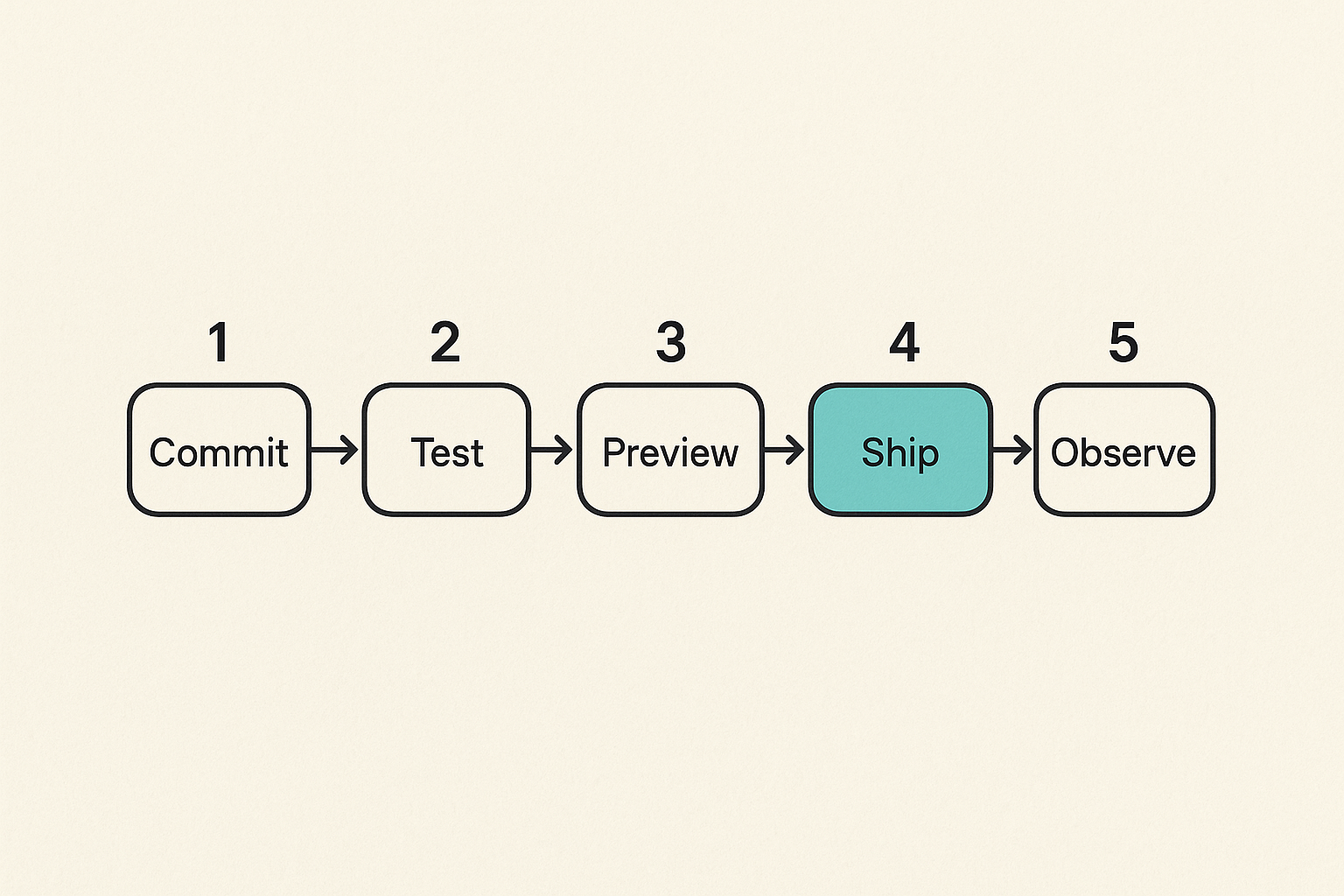
A small team can often get 80 percent of the benefit with a clean pipeline: push branch, generate preview, run tests, review, merge, deploy, observe.
What should stay manual
Some decisions should remain human because they require judgment.
Do not fully automate:
- Whether the release answers the right user problem
- Whether support is ready
- Whether pricing or packaging changes are acceptable
- Whether customer communication is clear
- Whether a failed metric means bad UX or bad demand
AI can assist, summarize, draft, and inspect. It should not silently decide what the business is trying to learn.
The mistake teams make is trying to automate uncertainty. That usually produces faster confusion.
A practical CI to launch workflow
Here is a simple implementation sequence for a small product team:
- Open a decision brief with the user state change, target segment, scope lock, and rejection criteria.
- Create the smallest technical plan that supports that decision.
- Put risky behavior behind a feature flag or limited access rule.
- Ship every pull request to a preview environment.
- Run automated checks before merge.
- Deploy to production hidden from most users.
- Enable for the smallest useful audience.
- Watch activation, errors, support tickets, and direct feedback for a fixed review window.
- Decide whether to expand, revise, or rollback.
- Record the result in the release ledger.
This is not heavyweight process. It is the minimum structure that keeps speed from turning into chaos.
Cut scope without cutting the promise
Keep the outcome and shrink the surface
Scope cuts fail when they remove the thing the user actually wanted. Good scope cuts preserve the outcome and reduce the surface area.
Example: users want to invite teammates to review a report.
Bloated version: full workspace model, roles, permissions, comments, email digests, audit log, admin panel.
Small version: generate a private review link for one report, expiring in seven days.
The promise is still collaboration around a report. The surface is dramatically smaller.
Prefer constraints over options
Options feel generous. Constraints ship.
Early products do not need unlimited dashboards, custom roles, every export format, and fully configurable workflows. They need one narrow path that proves the product can create value.
Constraints also improve support. When every customer can configure the product differently, debugging becomes slow. When the first version has one path, failures are easier to reproduce and fix.
Practical rule: If a setting exists only because the team could not decide, remove the setting and make the decision.
What works and what fails
What works:
- One primary user segment per release
- One activation path
- One success metric
- One rollback trigger
- A short out-of-scope list
- A specific review date
What fails:
- Building generic infrastructure before proving the workflow
- Adding settings to avoid product judgment
- Treating edge cases as launch blockers
- Waiting for perfect design before testing demand
- Shipping a beta with no decision date
The practical question is not how much you can remove. It is what you can remove while keeping the user outcome intact.
Instrument the product for faster learning
Track activation not vanity
Page views, signups, and impressions can be useful, but they do not prove the product is working. Activation is the behavior that indicates the user reached first value.
For a scheduling tool, activation might be a booked meeting. For a data product, it might be a saved report. For a developer tool, it might be a successful API call. For a marketplace, it might be a completed transaction or qualified match.
Define activation before the release. Then instrument the path.
A minimal event plan might look like:
user_signed_up
project_created
first_import_completed
report_generated
report_shared
activation_completed
Do not track everything. Track the path that answers the decision.
Use support as product telemetry
Support is not just a cost center. In early products, it is one of the highest signal channels you have.
Tag support issues by workflow step, not just by category. Instead of billing, bug, onboarding, feature request, try tags like import failed, unclear next step, permission confusion, export missing, payment blocked.
That changes the conversation. You can see where the product is failing operationally, not just emotionally.
Related reading from our network: freelancers and gig workers also benefit from turning scattered activity into a repeatable workflow, which is the angle in this AI workflow for jobs hiring immediately near me. Different audience, same lesson: speed comes from making the next action obvious.
Make metrics reviewable by humans
Dashboards often become wallpaper. A founder opens them, feels either good or bad, and then goes back to Slack.
Make metrics reviewable:
- Put the release decision at the top.
- Show the activation funnel for only the target segment.
- Include error count and support count next to conversion.
- Compare behavior before and after the release.
- Write the decision in plain language.
For example: expand to all users because 14 of 20 test users completed activation, support issues were fixable, and no rollback triggers fired.
Even if the numbers are small, this is better than vibes.
Failure modes that slow teams down
The demo trap
The demo trap happens when a product looks good in a controlled walkthrough but fails in self-serve usage.
Demos hide friction. The founder explains the value. The user follows the happy path. Edge cases are skipped. Setup is handled live. Then the team launches and discovers users do not understand what to do first.
The fix is to test without narration. Give the user a goal and watch what happens. If they need a founder voiceover to reach value, the product is not ready for a broader release.
The integration trap
Integrations are seductive because they feel like distribution and defensibility. They can also swallow months.
Before building a deep integration, ask:
- Does the target segment already use this tool daily?
- Is the integration required for activation or just convenience?
- Can the first version use CSV, copy-paste, webhook forwarding, or manual import?
- What breaks if the partner API changes?
- Who owns support when data is wrong?
What breaks in practice is not the first API call. It is auth, edge cases, rate limits, data mapping, retries, support, and customer expectations.
The no owner trap
Fast teams have clear owners. Slow teams have shared concern.
Every release needs owners for:
- Product decision
- Engineering implementation
- Release approval
- Customer communication
- Support triage
- Metrics review
- Rollback
One person can own multiple areas in a small team. That is fine. The dangerous state is nobody explicitly owns the release after merge.
Related reading from our network: AI visibility has a similar architecture problem, and AI answer visibility architecture is useful if your launch depends on being discoverable and citable in answer engines rather than only ranked in classic search.
A 30 day operating model for shipping software faster
Week 1 decision and demand
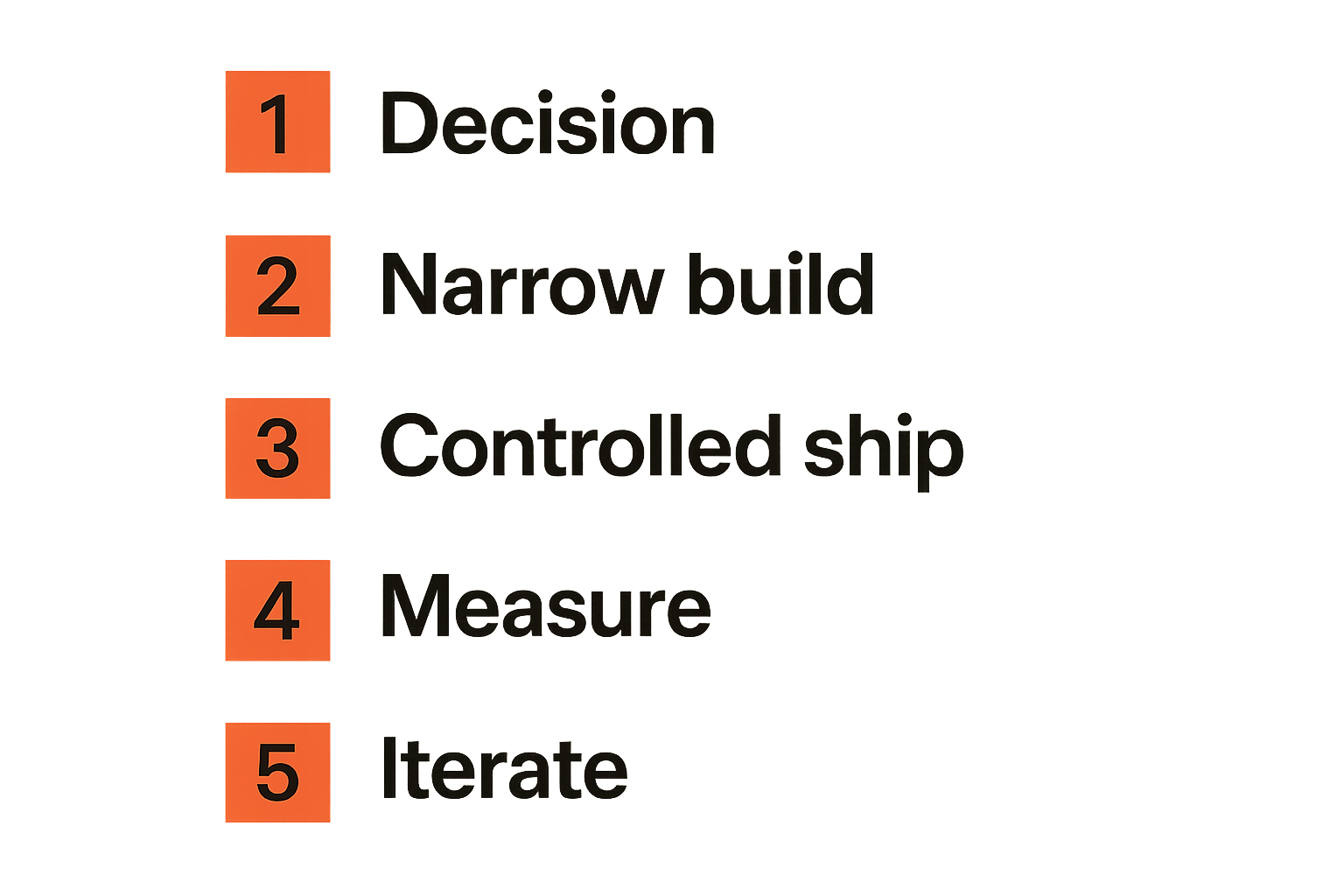
Start with one decision. Not a roadmap theme. Not a quarterly objective. One decision.
By the end of week 1, you should have:
- Target user segment
- User state change
- Evidence of demand
- Scope lock
- Rejection criteria
- Release path
- Named owner
Talk to users before you finalize the build. If you cannot find five people who care enough to discuss the problem, that is signal. Do not bury it under code.
Week 2 build the narrow path
Week 2 is for the narrowest path that can create the state change.
Avoid infrastructure unless it is required for the test. Avoid settings unless they are required for the user outcome. Avoid polish that does not affect comprehension, trust, or activation.
A good week 2 build often feels slightly uncomfortable. It is not the ultimate version. It is the version that can survive contact with users and answer the decision.
Week 3 ship to controlled users
Do not confuse controlled with fake. Controlled users are real users in a limited exposure model.
You might invite 10 customers, enable a feature flag for one segment, launch to a waitlist subgroup, or ship to current users who already asked for the workflow.
During week 3, watch:
- Activation
- Drop-off points
- Errors
- Support tickets
- Confusing copy
- Manual intervention required
- Unexpected use cases
The goal is not applause. The goal is a useful answer.
Week 4 measure support and iterate
Week 4 is where many teams fail. They ship, feel relief, and move on. Then the product accumulates half-learned lessons.
End the cycle with a decision:
- Expand the release.
- Fix the narrow path.
- Change the promise.
- Roll back.
- Archive the idea.
Write the decision in the ledger. Update the roadmap based on what happened, not what the team hoped would happen.
If you repeat this cycle, shipping software faster becomes less dramatic. It becomes normal operating rhythm.
Where sh1pt.com fits in your shipping system
Use sh1pt.com as an operator notebook
sh1pt.com is for people building and launching software products who want practical shipping strategies, product development processes, and growth tactics.
The useful role is not inspiration. It is operating context. Founders, indie hackers, product managers, and solopreneurs need examples of how products move from idea to market: what gets scoped, what gets deferred, how launches are sequenced, how feedback is handled, and where growth work fits.
Use the site as a notebook for shipping decisions. When you are stuck, the question is usually not what is the perfect framework. It is which decision needs to be made next.
Connect launches to distribution
A product that ships but never reaches the right audience is still stuck. Distribution should not be bolted on after the release is done.
For 2026 launches, that means thinking about search, communities, partner channels, answer engines, founder-led content, and direct customer conversations as part of the release architecture.
If AI discovery matters for your product category, connect your product management work to how answer engines understand and cite your product. The adjacent sh1pt.com guide to answer engine optimization product management goes deeper on shipping products that AI systems can interpret, recommend, and explain.
The closing point is simple: shipping software faster is not about rushing. It is about building a system where decisions are smaller, releases are safer, feedback is clearer, and the next step is obvious.
Try sh1pt.com
sh1pt.com helps people building and launching software products understand shipping strategies, product development processes, and growth tactics. Try sh1pt.com if you want a more practical operating view of shipping software faster.